Using the Trinity Interface
A quick tour of the web UI — dashboard, agent management, chat, and day-to-day operations.
Trinity Platform Demo — full UI walkthrough
May 2026
Logging In
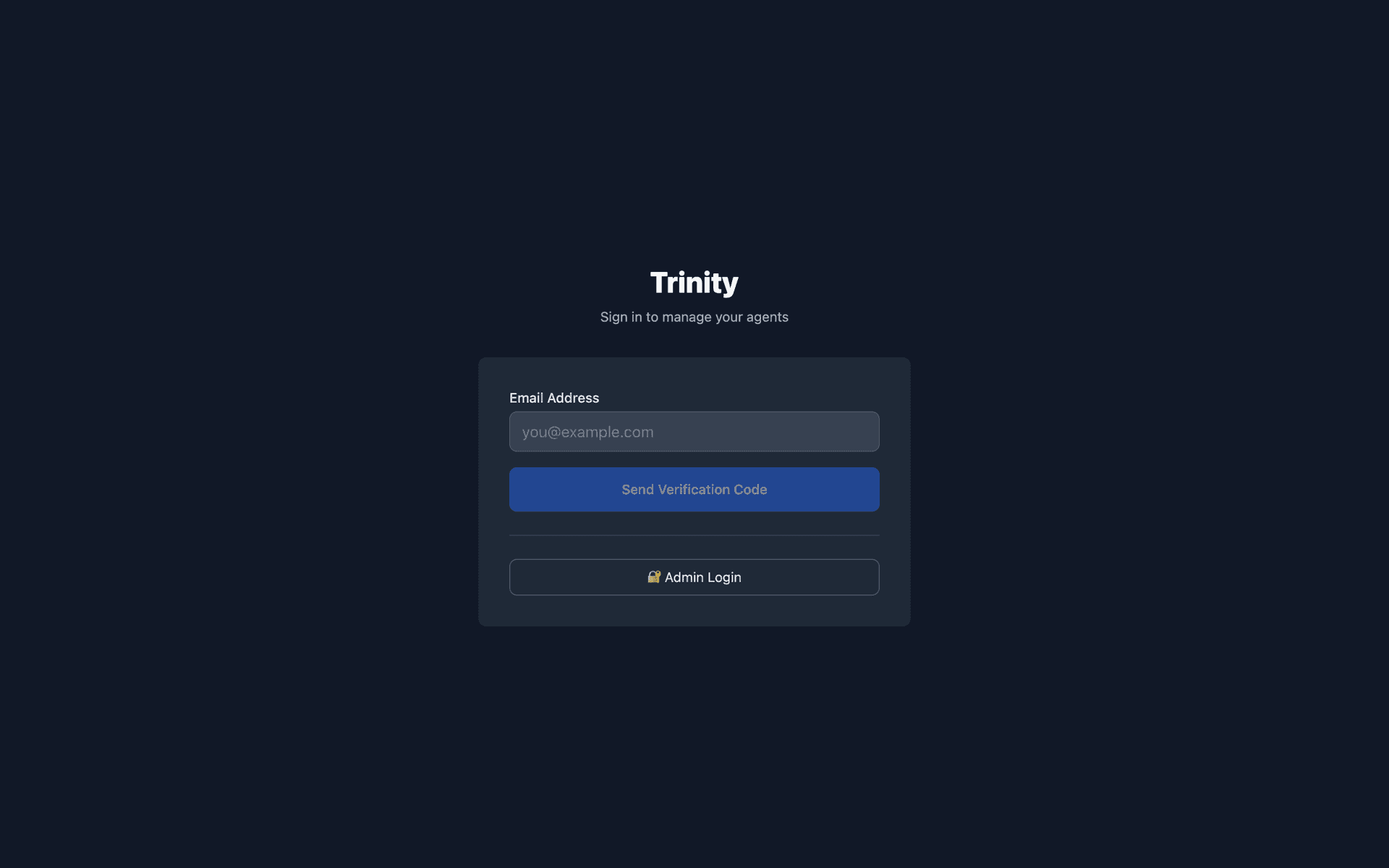
Admin login — Enter username admin (or your admin email) and the password set via ADMIN_PASSWORD in .env before first boot (self-hosted), the one chosen at signup (cloud), or — on an install booted without ADMIN_PASSWORD, such as a marketplace one-click droplet — the one you chose on the first-visit “Create your admin account” screen.
Email login— Enter your email to receive a 6-digit code (requires email service configuration).
Guided Onboarding (First Run)
The fastest path: let Trinity guide you. A fresh install already runs a seeded starter fleet (see First-Time Setup → Your Starter Fleet), and the Dashboard opens with first-run setup — one guided sequence over the Dashboard (the full step list is in First-Time Setup → Your First Dashboard). Its Connect Claude step is the one you cannot skip: paste a Claude subscription token or an Anthropic API key, and Trinity checks it with Anthropic before saving it, so your agent can actually think. Then the Your first agent step offers two doors:
Show me — Watch Cornelius workopens a seeded agent's chat, before you build anything.
Make me one — pick what it should do, with four purpose cards (Research a market or topic, Advise on strategy, Write content & reports, Start from scratch). Your pick opens the real Create Agent form with the matching starter template pre-selected; once the agent is created, the step is done.
Already running a fleet elsewhere? A small Bring it over link points at the migration docs. Click Continue, and Done at the end of the sequence opens your new agent's chat (Show meopens the seeded agent's chat instead).
The agent step is optional: Skip — later in the dashboard moves on, and Finish later closes the whole sequence. Neither nags you again.
On an install with no agents at all (first-run seeding disabled), the Dashboard's empty state shows a Get started button that opens the Create Agent form directly.
Re-run first-run setup any time (e.g. to spin up another agent, or if you skipped it): open the Dashboard with the ?onboarding=1 query parameter, or use Settings → General → First-run setup → Re-run setup:
http://localhost/?onboarding=1This works regardless of how many agents you already have — completed steps show as done. Log in first, then open the link (opening it while signed out sends you through the login page, which drops the ?onboarding=1 parameter).
Prefer to do it manually? Skip the step and follow Creating Agents from the UI below.
Top Navigation
| Entry | What it is |
|---|---|
| Dashboard | The fleet — three view modes, plus Create Agent |
| Library | Everything installable: agent templates, systems, and skills |
| Operations | Operator queue, notifications, health, executions |
| Settings | Platform configuration (all users see MCP Keys; admins see every tab) |
| Workspace | The chat app — one continuous conversation per agent, voice, files, loops, and the agent's canvas. Opens in its own browser tab so the console page you were on stays put |
One more entry appears only on entitled installations: Enterprise (the entitled-feature catalogue). Shared multi-agent rooms are not a nav entry — they open from the Workspace when you @mention a second agent in a chat.
See Workspace for the full tour of that surface.
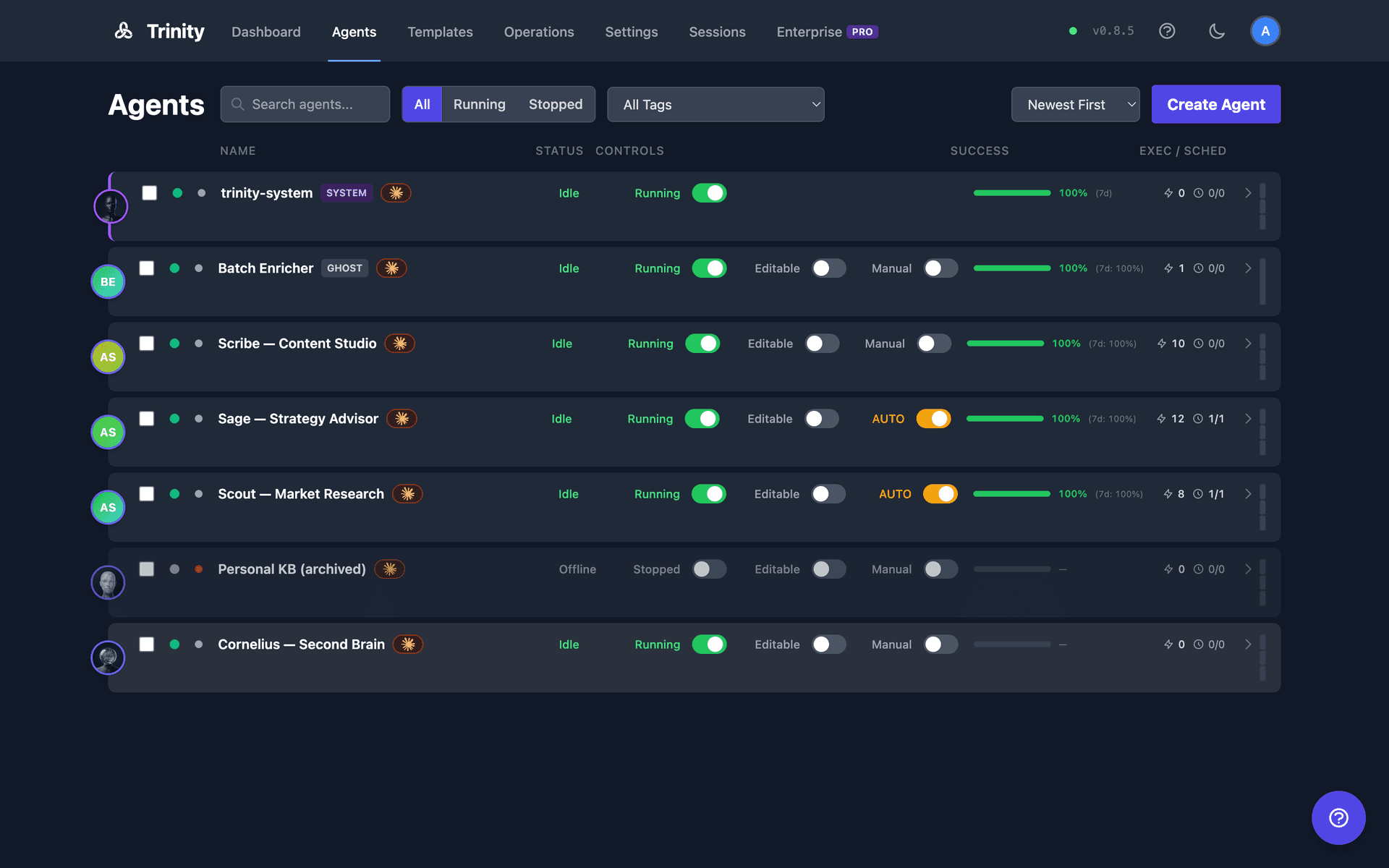
There is no separate Agents page — it is now the Dashboard's List mode, and /agents redirects there.
Dashboard
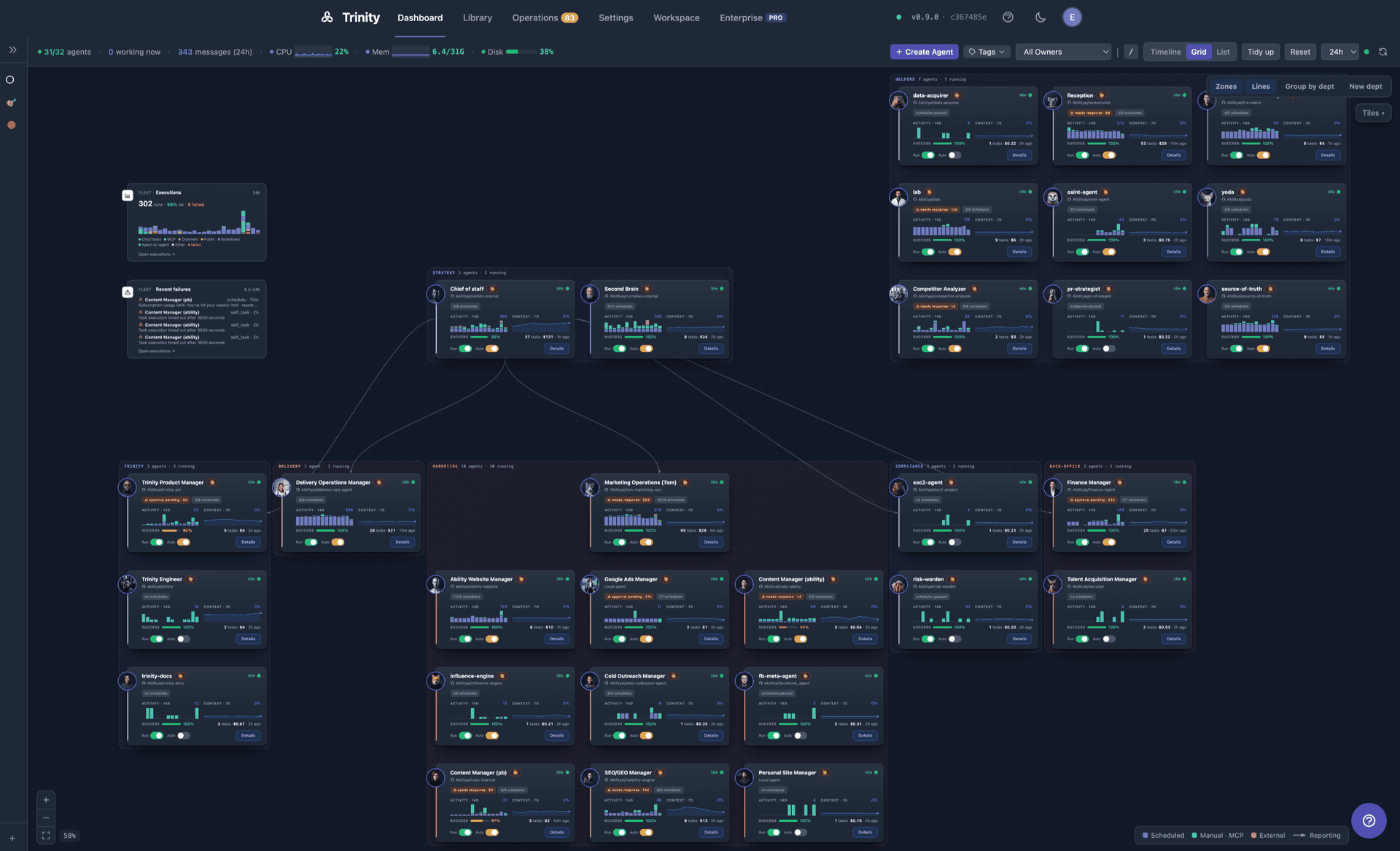
The Dashboard gives you a bird's-eye view of your agent fleet in three interchangeable views:
Timeline(default) — Recent and live executions per agent, chronologically.
Grid— A draggable tile canvas, optionally overlaid with department zones and reporting lines.
List— A sortable, filterable row list with inline toggles and bulk tag actions.
Shared controls across all three: press / to type-filter the fleet by name, press v to cycle the view, plus tag filter, owner filter, time range, and Create Agent.
On a fresh install the Dashboard opens first-run setup — one guided sequence (connect Claude, optional keys, your first agent, usage sharing) that you can re-run from Settings → General → First-run setup or with ?onboarding=1. After that, on instances that have it, a Getting started checklist sits in the Dashboard's left Systems sidebar, under the view list, until your first milestones are done. See First-Time Setup → Your First Dashboard.
See Dashboard for the full reference.
Library
Library in the top nav (formerly Templates; /templates still redirects there) is one surface for everything you can install onto your fleet, split across three tabs:
Agent Templates (/library?tab=templates) — Starter templates and GitHub templates; Use Template opens the create-agent flow.
Systems (/library?tab=systems) — Install a whole multi-agent system from a manifest. Requires the creator role or above; below that the tab is not shown at all.
Skills (/library?tab=skills) — Browse the shared skills library, see its sync state honestly, and see which agents already hold each skill — all without opening an individual agent.
The active tab lives in the URL, so a tab is linkable and survives a refresh. Switching tabs doesn't push browser history, so Back leaves the page rather than walking you through the tabs you visited. Each tab loads independently, so a failure in one never blanks the others.
Each skill card carries an Assigned to list of the agents that hold it, an Assign to… picker to add another, and an × on each holder chip to unassign — so the page that tells you a skill is unused is the page that fixes it. A separate block lists assignments whose skill has since left the library; those packages stay on each agent until removed from that agent's Skills tab. See Skills and Playbooks.
Agent Management
Click any agent to open its detail page. Tabs appear based on what the agent has enabled — tabs that do not fit collapse into a More ▾ menu:
| Tab | Purpose |
|---|---|
| Overview | Landing tab — trends, health, needs-attention count, footprint |
| Tasks / Chat | Send work to the agent. Chat here is stateless — each message starts fresh; Continue in Workspace → opens the continuous conversation |
| Dashboard | The agent's own YAML-defined dashboard (only when the agent ships one) |
| Brain | The Brain Orb mind page (only when enabled for the agent) |
| Reports | Structured reports the agent has published |
| Canvas | The surface the agent keeps current — its living sibling to Reports |
| Schedules | Cron jobs, trigger history, next run times |
| Loops | Bounded sequential task runs |
| Playbooks | Reusable prompts the agent exposes |
| Credentials | Per-agent credential setup and status |
| Payments | Nevermined payment configuration |
| Access / Sharing / Permissions | Who can reach the agent, and which agents it may call |
| A2A | Inbound A2A exposure (owner-only, entitled installations) |
| Git | Repository binding, sync status, and history |
| Files / Folders | Browse the agent workspace, download files, shared folders |
| Skills | Assign and sync skills from the library |
| Settings | Guardrails, autonomy, resources, timeouts, runtime options |
| Info | Template metadata and “what you can ask” |
Header actions:
Start/Stop— Toggle agent container state.
Autonomy— Enable/disable proactive (scheduled) operation. Turning it off holds schedules and reminders without erasing their individual on/off state, so turning it back on restores exactly what you had.
Workspace— Open this agent in the Workspace.
Talk— Start a voice call with the agent. The call opens in the Workspace and the conversation lives there, not in this page's chat.
There is no browser terminal on this page. Direct shell access is by SSH — see Agent Terminal.
Creating Agents from the UI
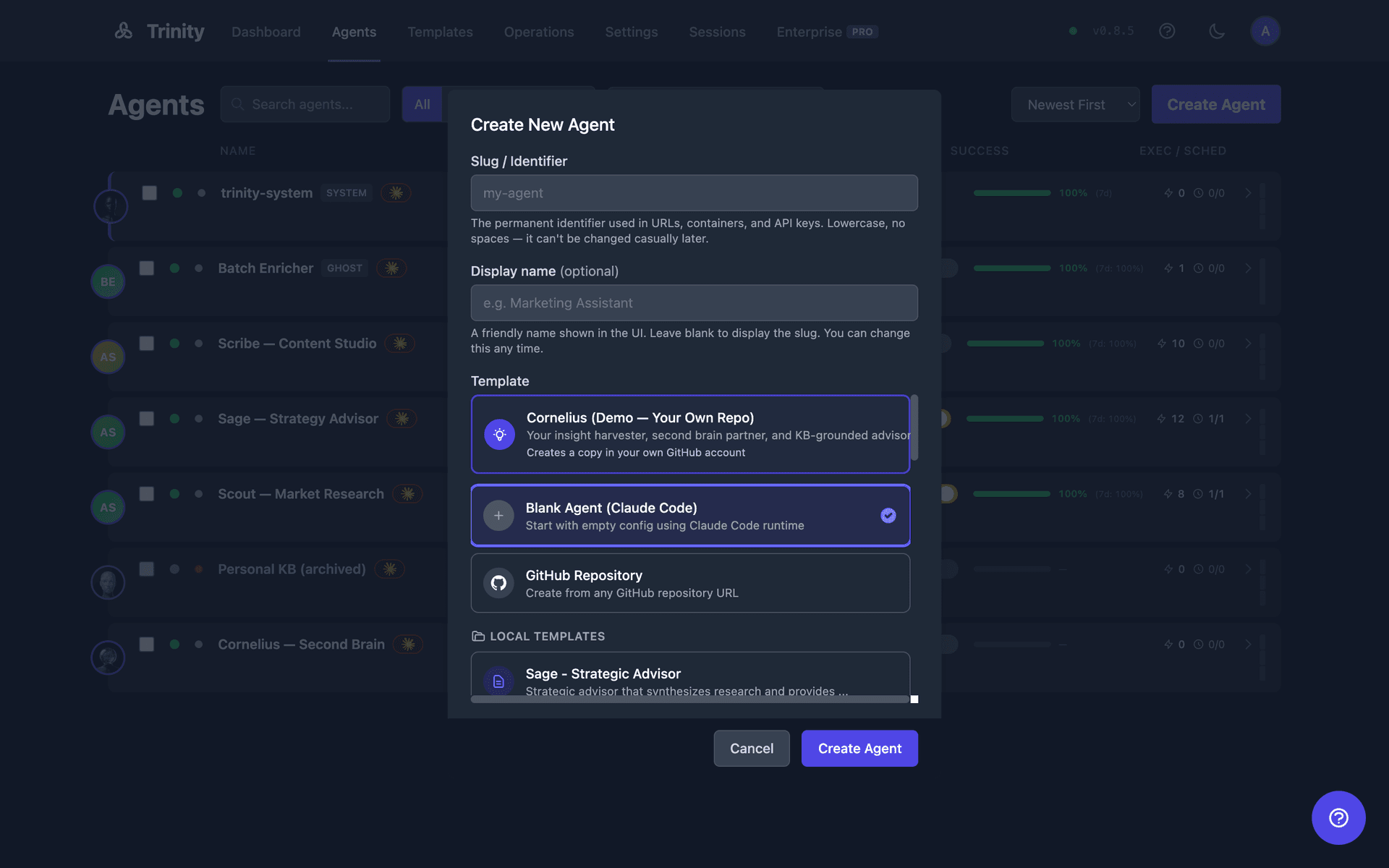
Click Create Agent in the Dashboard header, or Use Template on the Library page:
Choose a source— a starter template, a GitHub template, an existing GitHub repository, or a blank agent:
Blank Agent (Claude Code) — A minimal agent with a default CLAUDE.md that you shape yourself.
Local Templates — The templates bundled with your install (the scout / sage / scribe starters, and more).
GitHub Templates — Repositories your admin has registered under Settings → Agents → GitHub Templates.
GitHub Repository — Any repo, as owner/repo or a full GitHub URL, with a Clone / Copy / Fork choice for how the agent relates to that repo. (A specific branch, github:Org/repo@branch, is available through the API and MCP.)
Featured fork-to-own templates, when your install offers them, ask for a destination repo and a token so the agent gets a repository of its own.
Enter a name — A Slug / Identifier, lowercase with hyphens, no spaces (e.g., my-research-agent) — it becomes the agent's permanent name in URLs, containers and keys. You can also set a friendly display label.
Create — Trinity clones, builds, and starts the container. The form closes and the agent appears on the Dashboard (a GitHub-sourced create first shows an import check — Close is always available). Click the agent to open its detail page and start with Chat, Tasks, or the Workspace.
What happens after creation
A Docker container is built from the trinity-agent-base image.
Template files are copied into the agent's workspace at /home/developer/.
Credentials the template declares show as missing on the Credentials tab until you add them.
The agent starts automatically and appears on the Dashboard.
Next steps with your agent
Add credentials in the agent's Credentials tab.
Send a task via the Tasks tab, or chat via the Chat tab — or open the Workspace for the continuous conversation.
Set up schedules for autonomous operation — the Schedules tab's empty state has a Create a schedule button.
Configure permissions if building multi-agent systems.
Importing an existing GitHub repository runs a compatibility check inline and lets you choose how to take it on — fork, copy, or clone. See Creating Agents.
Operations
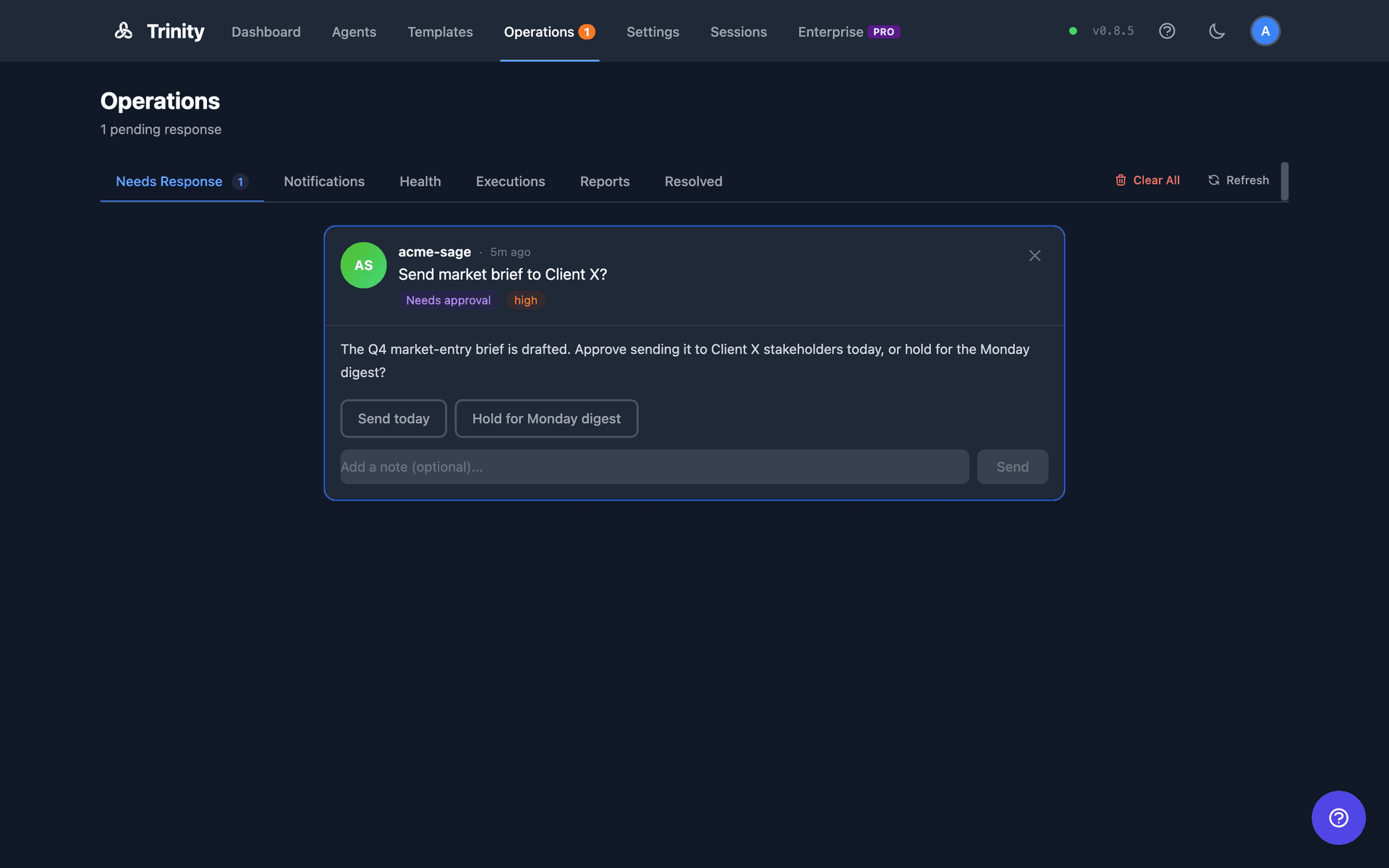
Operations in the top nav is your control center for real-time oversight — one page at /operations with six tabs:
Needs Response— Agent questions and approval requests waiting on you.
Notifications— Agent alerts and status changes.
Health(admin only) — Fleet health status; the monitoring loop is off by default and must be enabled explicitly, and the setting persists across restarts.
Executions— All task runs across your fleet, with filters and live stats.
Reports— Structured reports published by your agents, fleet-wide.
Resolved— Previously handled items.
The nav entry carries a single badge counting pending queue items and notifications; it pulses when something critical is waiting. Each operator tab has a Clear All button for bulk cleanup.
Settings
Settings is visible to every authenticated user, but most tabs are admin-only. Non-admins see MCP Keys.
| Tab | Who | Purpose |
|---|---|---|
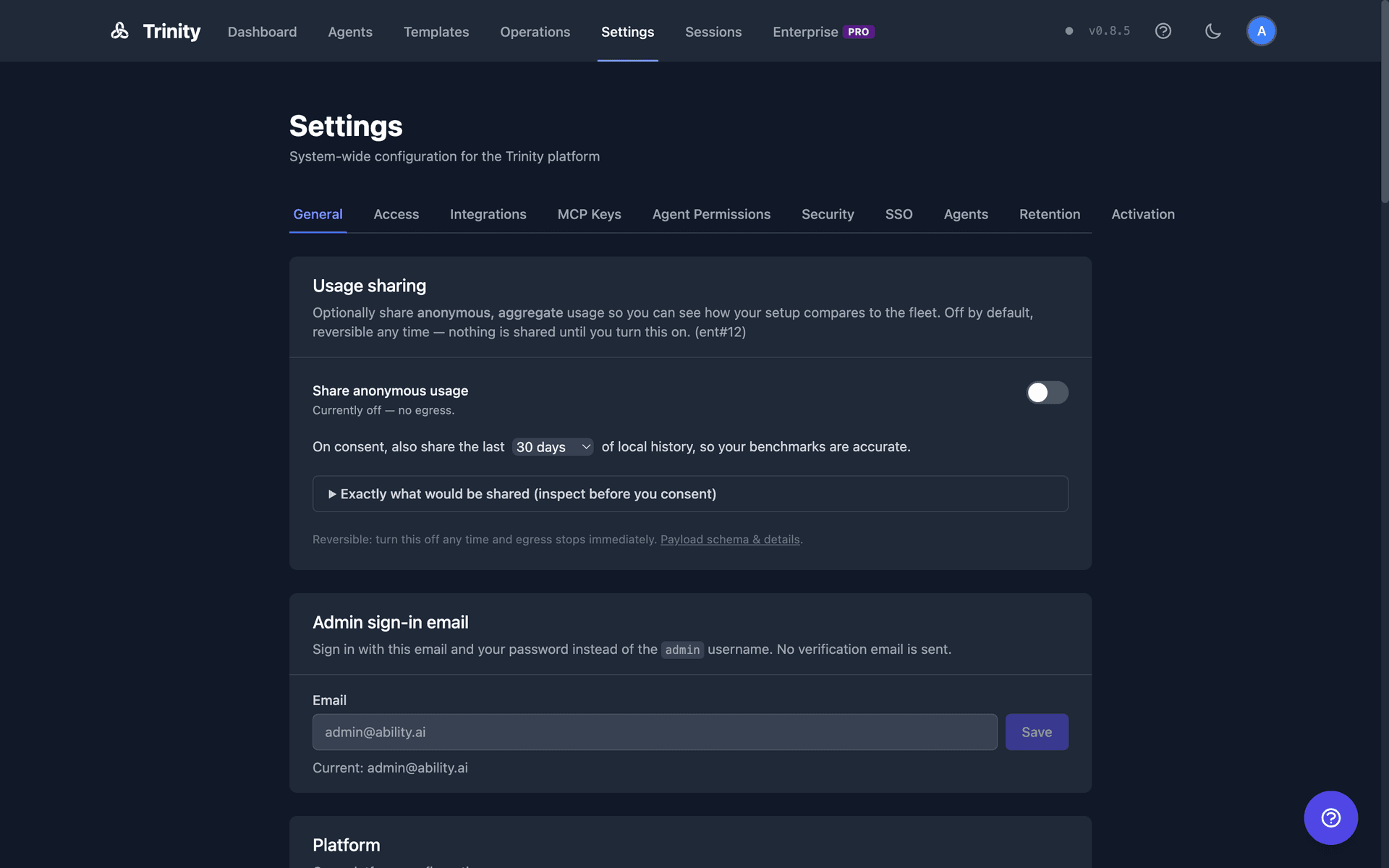
| General | Admin | First-run setup (re-run the guided sequence), Usage sharing (opt-in telemetry), Security & product updates (operator contact), admin sign-in email, platform options and feature flags, proactive message limits, Brain Orb, voice, Trinity prompt, build info, default avatars |
| Access | Admin | Email whitelist, user management and roles, SSH Access toggle |
| Integrations | Admin | Platform keys set in the browser (Anthropic, GitHub, email provider, Gemini), Slack, OAuth credentials, subscriptions (Claude subscription pool with live headroom), transport connection |
| MCP Keys | Everyone | Create and revoke your own MCP API keys; your personal GitHub token |
| Agents | Admin | GitHub templates, Template registry, Skills Library sources, agent quotas, automation defaults |
| Retention | Admin | How long executions, logs, health checks, and soft-deleted records are kept; Workspace sessions policy; Room budgets |
Additional tabs (Agent Permissions, Security, SSO, Vault, Activation) appear only when the corresponding capability is enabled on your installation.
Retention windows have exactly one validated write path — values are type- and range-checked, the change is audit-logged, and an unusually large deletion is held for explicit approval rather than run silently. See Monitoring.