Agent Permissions
Explicit permission model controlling which agents can communicate with which. Restrictive by default — no agent can call another without explicit permission.
Watch
All videosTrinity Platform Demo
May 2026
How It Works
1
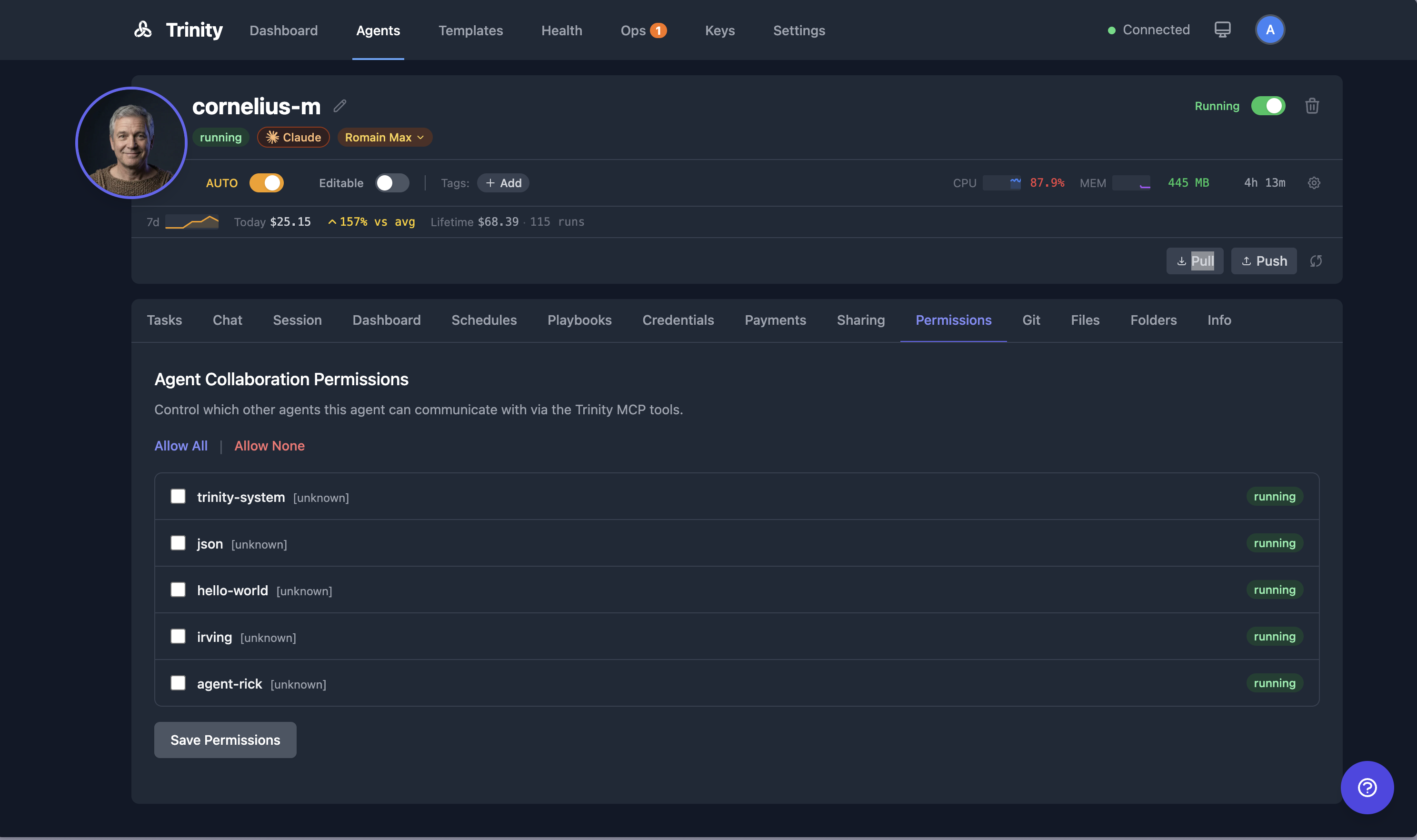
Open the agent detail page and click the Permissions tab (located in the agent files/config area).
2
You will see a list of the other agents in the system.
3
Toggle each agent to allow or deny the current agent calling it. Allow All and Allow None set every row at once. Click Save Permissions to apply.
4
Permissions are directional: allowing Agent A to call Agent B does not allow Agent B to call Agent A. Each direction must be granted separately.
5
System agents (e.g., trinity-system) bypass permission checks entirely.
Default Behavior
•No permissions are auto-granted. All inter-agent communication must be explicitly allowed.
•The system agent (
trinity-system) can call any agent without requiring permission.Enforcement
•When Agent A attempts to call
chat_with_agent("agent-b", ...), the MCP server checks whether Agent A has permission to communicate with Agent B.•If permission has not been granted, the MCP tool returns an
Access denied result and the call is blocked. An agent can always reach itself.•The same check gates starting a loop on another agent (
run_agent_loop) and reading or stopping that loop (get_loop_status, stop_loop). See Agent Loops.•Permissions also gate shared folder access and event subscriptions between agents.
•Every blocked call is recorded in the audit log as a refusal, so an admin can see which agent tried to reach which.
For Agents
•Permissions are managed through the agent files/config endpoints. Agents do not need to handle permissions themselves.
•The MCP tools that reach another agent's work check the permission before they run: chat, loops, and the tools that read another agent's schedules, executions, fan-out batches, reports, and operator-queue items. No special handling is required in agent code — read the
Access denied result and ask the owner for a grant.