Cross-Channel Access Control
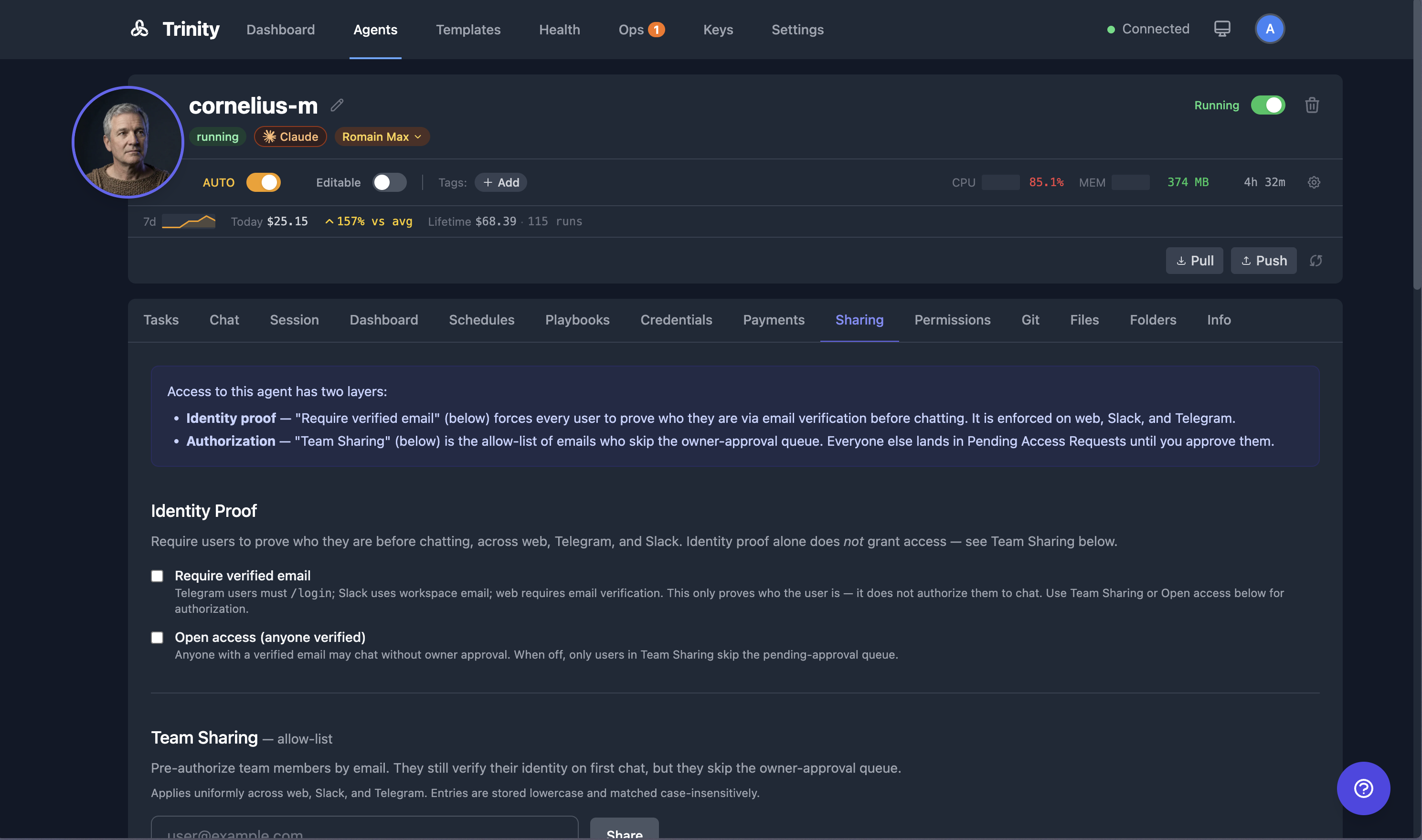
Unified access control across all channels (web, Telegram, Slack). Verified email is the identity — approving a user once admits them everywhere.
Concepts
| Term | Description |
|---|---|
| Verified email | Email proven via verification code (Telegram /login) or OAuth (Slack workspace) |
| Access policy | Per-agent settings: require_email, open_access, group_auth_mode |
| Access request | Pending approval when a verified user contacts a restricted agent |
Email Verification
Verification is not a separate switch on the Sharing tab. Both positions of the Restricted ↔ Open control (below) require a verified email — the control writes require_email: true every time — so users verify before chatting either way. Turning verification off entirely (require_email: false) is only possible through the access-policy API.
Fleet-Wide Default for New Agents
Admins can set the default require_email policy that newly created agents start with:
Go to Settings → General.
Toggle Require verified email for new agents.
This default is onout of the box (secure-by-default). It applies at agent-creation time only — existing agents are never rewritten, and owners can still override the setting per agent in the agent's Sharing tab.
| Endpoint | Method | Description |
|---|---|---|
| /api/settings/agent-defaults/access-policy | GET | Current fleet-wide default (admin-only) |
| /api/settings/agent-defaults/access-policy | PUT | Update the default for new agents (admin-only) |
Channel-Specific Verification
| Channel | How Email is Verified |
|---|---|
| Telegram | User sends /login your@email.com, receives 6-digit code, replies /login 123456 |
| Slack | Automatic — workspace OAuth provides the email |
User sends /login your@email.com, receives a code, replies to verify | |
| Web (public links) | Email verification during public chat session |
Access Modes
The Sharing tab presents this as a single Restricted ↔ Openswitch under "Who can chat with this agent?"
🔒 Restricted (default)
Only owner, admins, and explicitly approved users can chat. Others see "Your access request is pending approval."
🌐 Open
Any user with a verified email can chat immediately.
Approving Access Requests
When someone requests access:
Their request appears in the Sharing tab as a "Pending requests" list under the Restricted/Open switch.
Click Approve to grant access (adds them to the share list).
Click Deny to reject.
Approving auto-adds the email to your shared users list.
The requester is notified automatically.When you approve a request that came in over Telegram, Slack, or WhatsApp, Trinity sends the requester a message on that same channel confirming they now have access — closing the loop on the "I'll let you know once the owner responds" reply they got when they first messaged. Web users see the change through the dashboard. Denials are silent (the agent's existence is not confirmed to the requester). A delivery failure (e.g. the user blocked the bot) never blocks or rolls back the approval; the outcome is recorded in the audit log.
Group Chat Authentication
For Telegram groups, you can require at least one verified member before the bot responds:
Set Group auth mode to any_verified via API.
When someone @mentions the bot in an unverified group, the bot prompts for verification.
Once one member verifies via /login, the group is unlocked for everyone.
Telegram Commands
| Command | Description |
|---|---|
| /login email@example.com | Start email verification |
| /login 123456 | Complete verification with code |
| /logout | Remove verified email |
| /whoami | Check current verification status |
Access Policy API
| Endpoint | Method | Description |
|---|---|---|
| /api/agents/{name}/access-policy | GET | Get current policy |
| /api/agents/{name}/access-policy | PUT | Update policy |
| /api/agents/{name}/access-requests | GET | List pending requests |
| /api/agents/{name}/access-requests/{id}/decide | POST | Approve or deny |
Policy body
{
  "require_email": true,
  "open_access": false,
  "group_auth_mode": "none"
}
Decision body
{"approve": true}Limitations
group_auth_mode: "none" bypass email verification entirely.users:read.email scope for email resolution./login).