Agent Sharing & Access
Two owner-only tabs on the Agent Detail page control who can reach an agent: the Access tab manages Trinity operators (platform users — your teammates), and the Sharing tab manages external clients (outside users reaching the agent through Slack, Telegram, WhatsApp, voice calls, or public links).
Concepts
Access Tab — Trinity Operators
The Access tab lists platform users with access to this agent.
Open the agent detail page and click the Access tab (owner only).
Enter a teammate's email and click Add operator. The email is also added to the platform login whitelist.
- • Active — the email resolved to an existing Trinity account (shows username, role, and last-active time).
- • Pending — no account yet ("Invited — no account yet"); the entry activates automatically once the person logs in for the first time.
Each operator row also carries a proactive-messaging toggle — "allow this operator to receive proactive DMs from the agent." It is off by default; turn it on per operator to let the agent message that person unprompted. This is a per-recipient DM permission (PUT /api/agents/{name}/shares/proactive, body {email, allow_proactive}).
Click Remove on a row to revoke access.
The per-recipient DM toggle above is complemented on the channel side by the per-channel Slack consent — see Slack Integration. Platform-wide proactive-messaging rate caps are admin-configurable in Settings.
Access Levels
| Level | Permissions |
|---|---|
| Owner | Full control — create, delete, configure, share, manage credentials and schedules. |
| Shared operator | Interact only — chat, run tasks, view files and logs. Cannot modify config, credentials, or permissions. |
| Admin | Full access to all agents regardless of ownership. |
Enforcement notes:
Sharing Tab — External Clients
The Sharingtab is organized around "who outside the team can reach this agent, and through what." Sections, top to bottom:
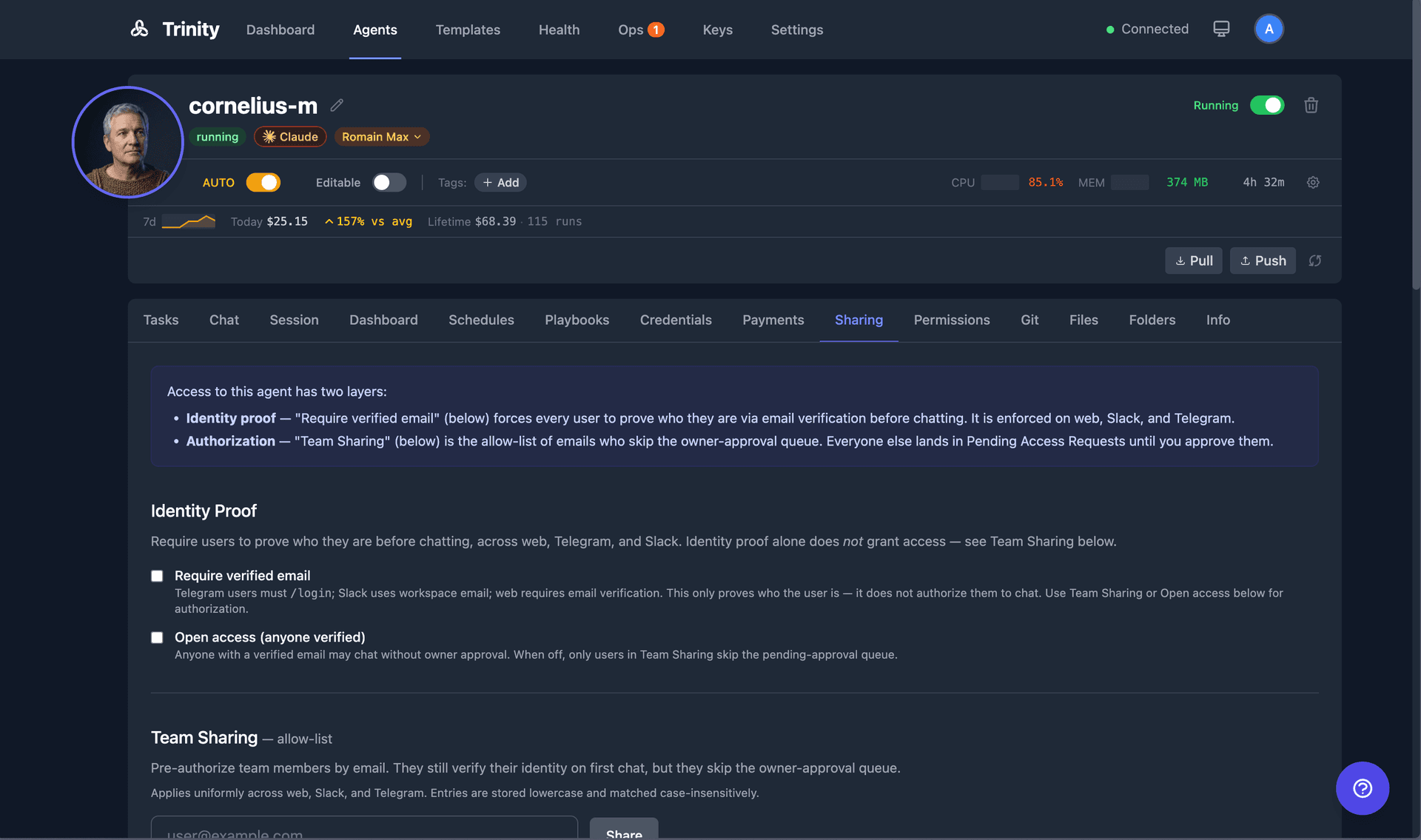
Who can chat with this agent?
A single Restricted ↔ Open control:
This is the same cross-channel policy described in Access Control— approving a request admits that email on every channel at once.
Public chat model
Pick the Claude model used for public-facingconversations only — the public link, Slack/Telegram/WhatsApp channels, and paid chat. Your own authenticated chats and scheduled runs are unaffected. The default option ("Use platform default") inherits the platform-wide model; selecting a model overrides it for this agent's public surfaces.
Additional instructions — public & channel chats only
A free-text field (up to 4,000 characters) injected into the agent's system prompt for outside audiences only: public links, Slack/Telegram/WhatsApp, and paid chat. It does not affect your own authenticated chats, scheduled runs, loops, or agent-to-agent calls. Use it to set tone, disclosure rules, or scope limits for strangers without touching the agent's core instructions. Leave empty to disable. (Voice/VoIP has its own prompt — see Voice Chat.)
Channels
Compact status rows for Slack, Telegram, WhatsApp, and Voice calls (when VoIP is enabled platform-wide). Each row shows a connection status dot and a Configure (not connected) or Manage(connected) button that opens the channel's full configuration in a dialog. Per-channel setup guides:
Each channel dialog also carries that channel's voice-replies allow flag — replies are text by default and the agent opts individual replies into voice per message. See Voice Replies.
Client roster — who's reaching this agent
A read-only table of external channel users who have messaged the agent, aggregated across Telegram and WhatsApp (more channels to follow): client name, channel, verified email, message count, and last-active time, ordered by most recent. The roster is database-sourced, so it renders even when the agent container is stopped.
Distribution
Two collapsible panels for distributing the agent's output rather than granting access:
For Agents
| Endpoint | Method | Description |
|---|---|---|
| /api/agents/{name}/share | POST | Share agent with an email address |
| /api/agents/{name}/share/{email} | DELETE | Remove a share |
| /api/agents/{name}/shares | GET | List all shares for an agent |
| /api/agents/{name}/access | GET | Operator roster (active + pending) for the Access tab |
| /api/agents/{name}/shares/proactive | GET / PUT | Per-recipient proactive-DM permission; PUT body {email, allow_proactive} (owner/admin) |
| /api/agents/{name}/clients | GET | External client roster (owner-only, read-only) |
| /api/agents/{name}/public-prompt | GET / PUT | Public/channel-only custom instructions (owner-only, ≤4000 chars; empty clears) |
| /api/agents/{name}/public-channel-model | GET / PUT | Public-channel model override (owner-only; null clears to platform default) |