Creating and Managing Agents
Everything you need to create, manage, and interact with Trinity agents: templates, lifecycle control, chat, terminal, files, logs, and configuration.
Build an AI Recruiter Agent
Jun 2026
Build and Deploy Agents in Cursor
Apr 2026
From Zero to Deployed AI Agent
Apr 2026
Creating Agents
Agents are created from templates or from scratch. Each agent runs as an isolated Docker container with its own filesystem, credentials, and MCP server configuration.
Template Sources
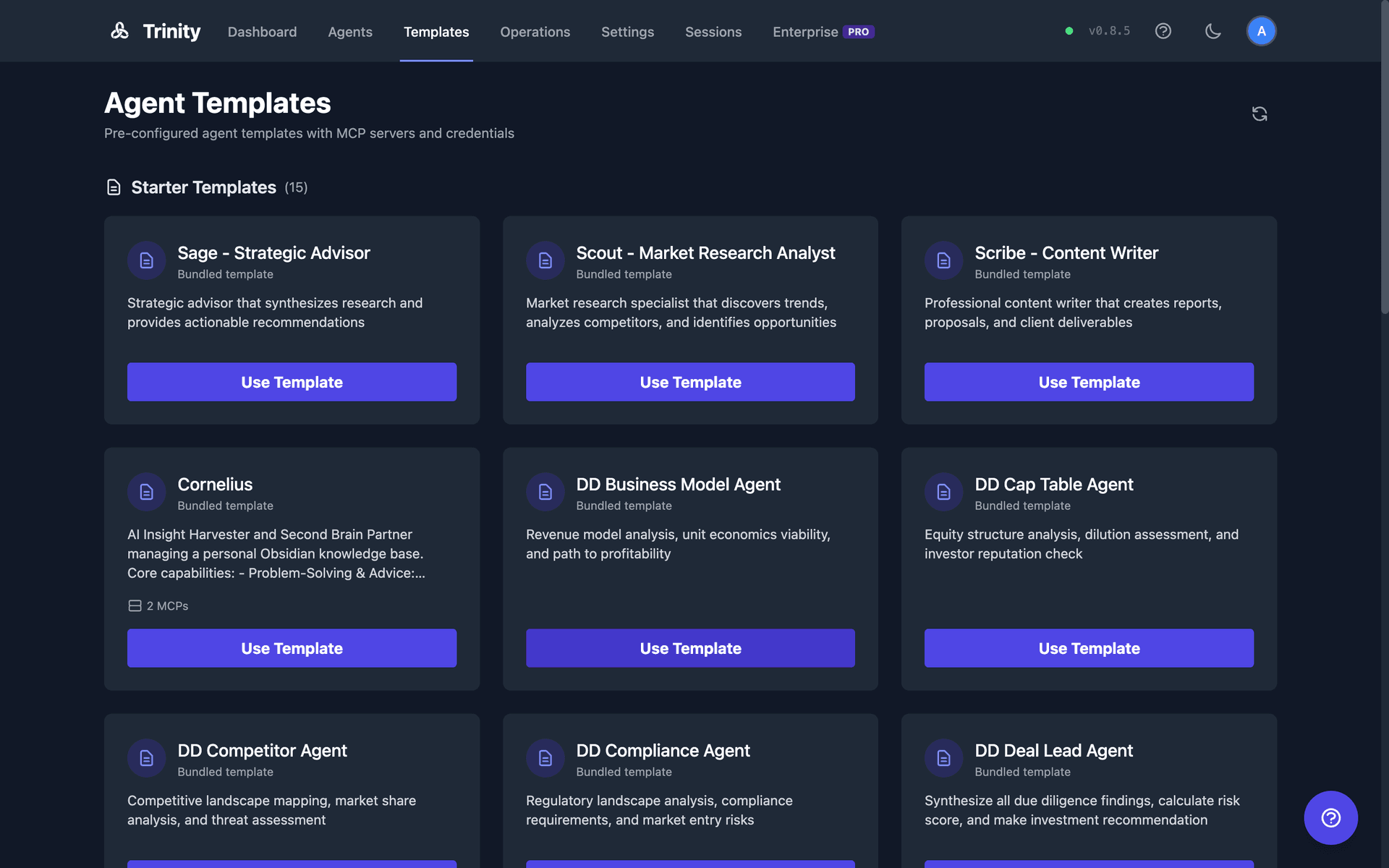
github:Org/repo format. Supports branch selection with github:Org/repo@branch. Public repos clone with no GitHub token — Trinity clones them anonymously. This is source-mode only: an anonymous clone can't push back, so pushing, Working-Branch mode, and fork-to-own still require a token. Private repos require a GitHub PAT.template.yaml via the GitHub API and cached for 10 minutes. These appear as cards on the Library page's Agent Templates tab (/library?tab=templates; the old /templates path redirects there).config/agent-templates/ directory and shown as a curated Starter Templates group on the Library's Agent Templates tab. The recommended starters (scout, sage, scribe) are ordered first; internal test and demo fixtures (marked hidden: true in their template.yaml) are hidden from the list but stay creatable by id.CLAUDE.md.Where the GitHub template list comes from. Trinity resolves it in order:
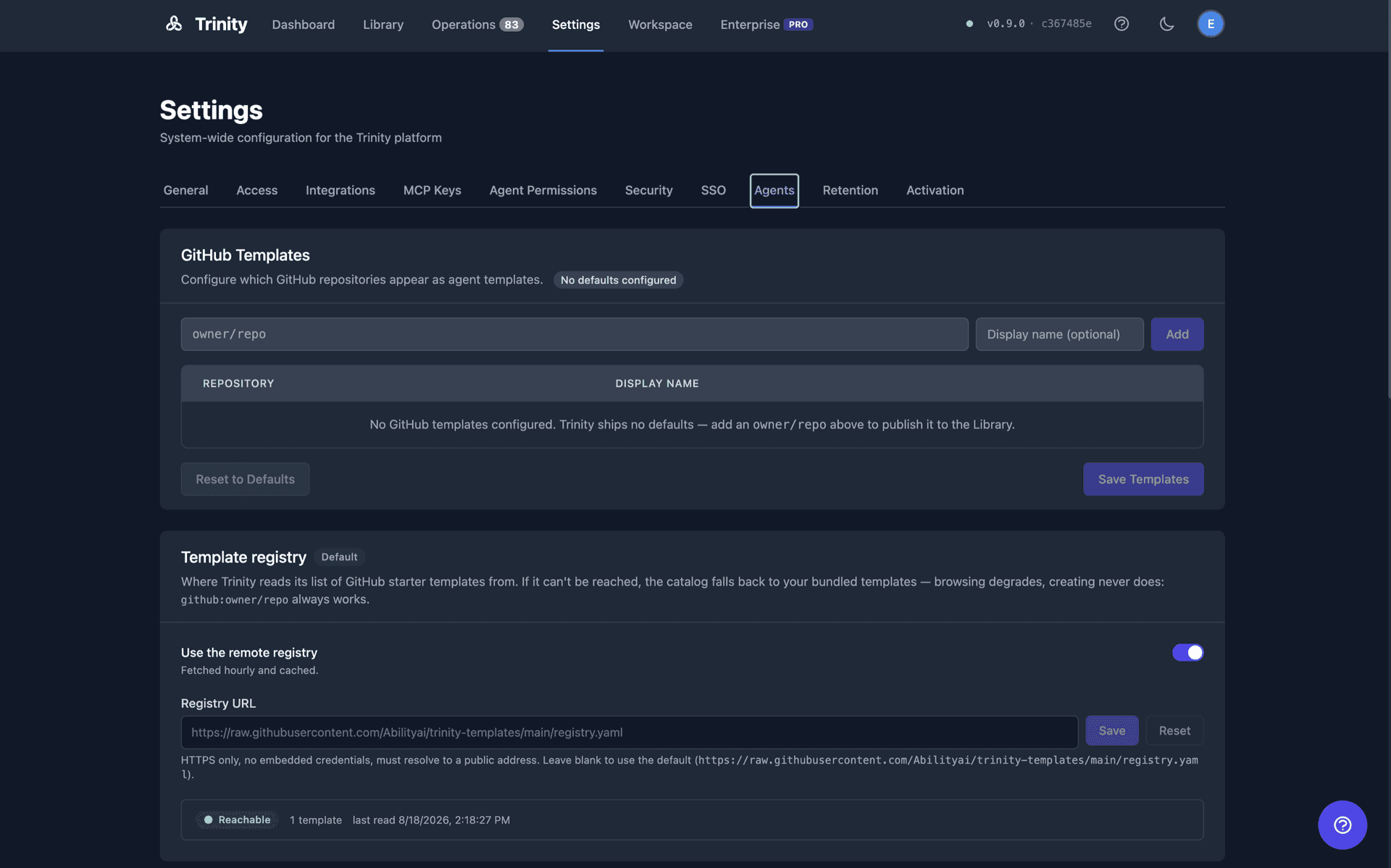
Admin-configured list — if an admin has curated GitHub templates in Settings, that list is authoritative and nothing else is consulted.
Remote registry — otherwise Trinity fetches a curated registry over HTTPS, so the starter catalogue can be refreshed without upgrading Trinity. The result is cached (about an hour) with a durable last-known-good copy, and every failure degrades quietly to the next tier.
Bundled defaults — the built-in list, which is empty by default.
A default install therefore shows starter templates plus whatever the registry offers, and never blocks agent creation on a registry being reachable.
Template Structure
Every template follows a standard layout:
| File | Purpose |
|---|---|
| template.yaml | Agent metadata: display_name, description, resources, credentials, credential_setup, schedules, runtime |
| CLAUDE.md | Agent instructions and system prompt |
| .mcp.json.template | MCP config template with ${VAR} placeholders for credential injection |
| .env.example | Example credentials file listing required environment variables |
All bundled templates ship the canonical .gitignore, so an agent created from one never auto-commits caches, virtualenvs, or local databases into its repository. An agent created from any GitHub repository with auto-sync on gets the same rules merged into its .gitignore right after creation, before the first sync cycle can commit runtime state or credential files.
Runtime options: an agent's runtime — Claude Code (default), OpenAI Codex, or Gemini CLI — is chosen via runtime.type in template.yaml. The three options are claude-code (default), codex, and gemini-cli. See Agent Runtimes for details.
Display Label vs. Slug
An agent has two names:
name is a lowercase-hyphens slug. It is immutable, guarantees uniqueness, and is what URLs, MCP tool names, schedules, and webhooks resolve to.display_label field (max 120 characters), and change it later — see Managing Agents.Agent type is retired. Older templates and API calls could set a free-text agent type (default business-assistant). The field carried no behavior and is no longer accepted, stored, or returned anywhere — use tags to categorize agents instead (see Managing Agents). A type: line in an existing template.yaml is still parsed but ignored, so old templates keep working.
Creation Flow
When you create an agent, Trinity performs these steps in order:
Template is cloned (GitHub) or copied (local/from-scratch).
base_image is validated against the allowlist. Only trinity-agent-base:* is permitted by default.
A Docker container is built from the base image.
Template files are copied into /home/developer/ inside the container.
Credential requirements are extracted from .mcp.json.template.
If API subscriptions exist, one is auto-assigned via round-robin (fewest agents first).
The agent starts automatically and is labeled for fleet management.
Compatibility Validation
Once an agent is running, Trinity validates its workspace against best-practice conventions and surfaces the results in the Overviewtab on Agent Detail. The check is advisory only — it never blocks agent creation or deployment.
It covers:
template.yaml..claude/ directory.Results are grouped into findings ranked HARD / SOFT / INFO. Claude-specific checks (CLAUDE.md, .claude/ skills) are skipped for Codex and Gemini agents.
The 9 gitignore-related findings offer a one-click Fix button that rewrites the agent's .gitignore in place (uncommitted until the next git sync). Re-run anytime with Re-run analysis.
Declared Schedules
A template can declare the recurring work its agent is designed to do, in a schedules: block in template.yaml:
schedules:
  - name: daily-briefing
    cron: "0 9 * * *"
    message: /daily-briefing
    enabled: true
    timezone: Europe/London
    description: Morning summary of overnight activity
Trinity materializes these as real schedules at creation — through the UI, the API, and MCP alike. Before this, a template's declared schedules were design documentation that nothing acted on.
Rules worth knowing:
name, cron, and message are required. cron must be a strict 5-field Unix expression (@daily and 6-field forms are rejected). timezone must be an IANA zone.id: you write is ignored — Trinity mints its own schedule ids.See Scheduling.
Declared Plugins
A template can also declare which Claude Code marketplace plugins its agent depends on, in a plugins: block in template.yaml:
plugins:
  marketplaces:
    - name: abilityai
      source: abilityai/abilities        # owner/repo shorthand, or an https:// URL
  installed:
    - trinity@abilityai                  # plugin@marketplace
    - agent-dev@abilityai
Trinity materializes the block at creation as a committed, secret-free ~/.trinity/plugins.yaml in the agent's workspace, and on every container bootthe agent re-installs anything declared but missing — headlessly, with no one at a terminal. That is what makes the plugin selection survive a rebuild onto a fresh volume or a move to another host: before this, plugins installed by hand lived only in gitignored Claude Code state and were lost the moment the workspace was reconstituted from git.
Rules worth knowing:
installed: must appear under marketplaces:. Declaring trinity@abilityai is still recommended, but it is not what delivers it: the platform pre-installs that plugin in the agent image and re-ensures it on every boot whether or not it is declared, an omitted trinity@abilityai is never uninstalled, and a manifest that re-points the abilityai marketplace at another source is ignored — see Plugins inside a deployed agent.plugin@marketplace pins the plugin's identity, not a commit — a re-install fetches the marketplace's current content./plugin install inside the agent) are not captured back into the manifest; add them to template.yaml too or they will not survive a reconstitution.template.yaml takes effect on its next restart. The abilities /trinity:onboard (in place) and /trinity:sync plugins skills can install the difference immediately — see Abilities Marketplace.enabledPlugins: mapping shape from Claude Code's own settings.json (trinity@abilityai: true) is accepted as an alternative to installed:.The manifest is agent-writable, so it is parsed defensively: names and marketplace sources are validated (no embedded credentials, no path traversal), a malformed block is reported rather than acted on, and every install runs with a timeout and never prompts.
Deploy a Bare Repository, Then Onboard It in Place
A github:owner/repo template does not need a template.yaml — Trinity creates the agent from the repository as it is. Because the trinity@abilityai plugin is pre-installed in the agent image and re-ensured on every boot, that agent can then make itself Trinity-compatible from inside its own container: run /trinity:onboard in its chat and choose Onboard in place. It writes template.yaml, .env.example, .gitignore, and .mcp.json.template and pushes them back to the repository (an agent with no push token prints the patch and says the result is container-local — in source mode, files written inside the container do not survive a reset unless pushed). The walkthrough lives in Abilities Marketplace under the trinity plugin. Whether the pre-installed plugin was present, withheld (with the reason), or switched off is reported by the compatibility check on the Overview tab.
Importing an Existing GitHub Repository
When you create an agent from a repository you already have — rather than a curated template — you choose how Trinity should take it on:
| Intent | What happens | Git sync |
|---|---|---|
| Clone | The default. Trinity clones the repository and keeps it wired to that remote. | Yes — the agent pushes back to the source repo |
| Fork | Trinity forks the repository into your own GitHub account first (requires the template to declare fork_to_own). | Yes — to your fork, with upstream pointing at the original |
| Copy | Trinity takes a one-time snapshot of the files, strips the .git history, and gives the agent a standalone workspace. | No — no remote, no token, no sync |
Copy is the right choice when you want to start from someone's repository without staying attached to it. The agent gets the files and nothing else: no GitHub credentials are stored, no remote is configured, and the agent never appears on git-sync surfaces. If you later decide you do want a repository, use Initialize GitHub Syncon the agent's Git tab.
Creation refuses clearly rather than doing something surprising: an intent on a non-GitHub template, a fork without fork parameters, a copy or clone of a template that requires fork-to-own, and copy for an ephemeral agent all return a named error before anything is created. An unreadable or private source without a token is reported as “not found or private” — it never confirms whether a repository exists.
Inline Compatibility Check
After creating an agent from a repository, the create dialog runs the compatibility check inline and shows the result before you leave. It waits for the agent to genuinely finish starting (not merely for the container to exist), then reports findings. If the agent fails to start, you are told so rather than left on a spinner.
The check is advisory — the agent exists either way, and you can re-run the analysis from the Overview tab at any time.
Creating via UI
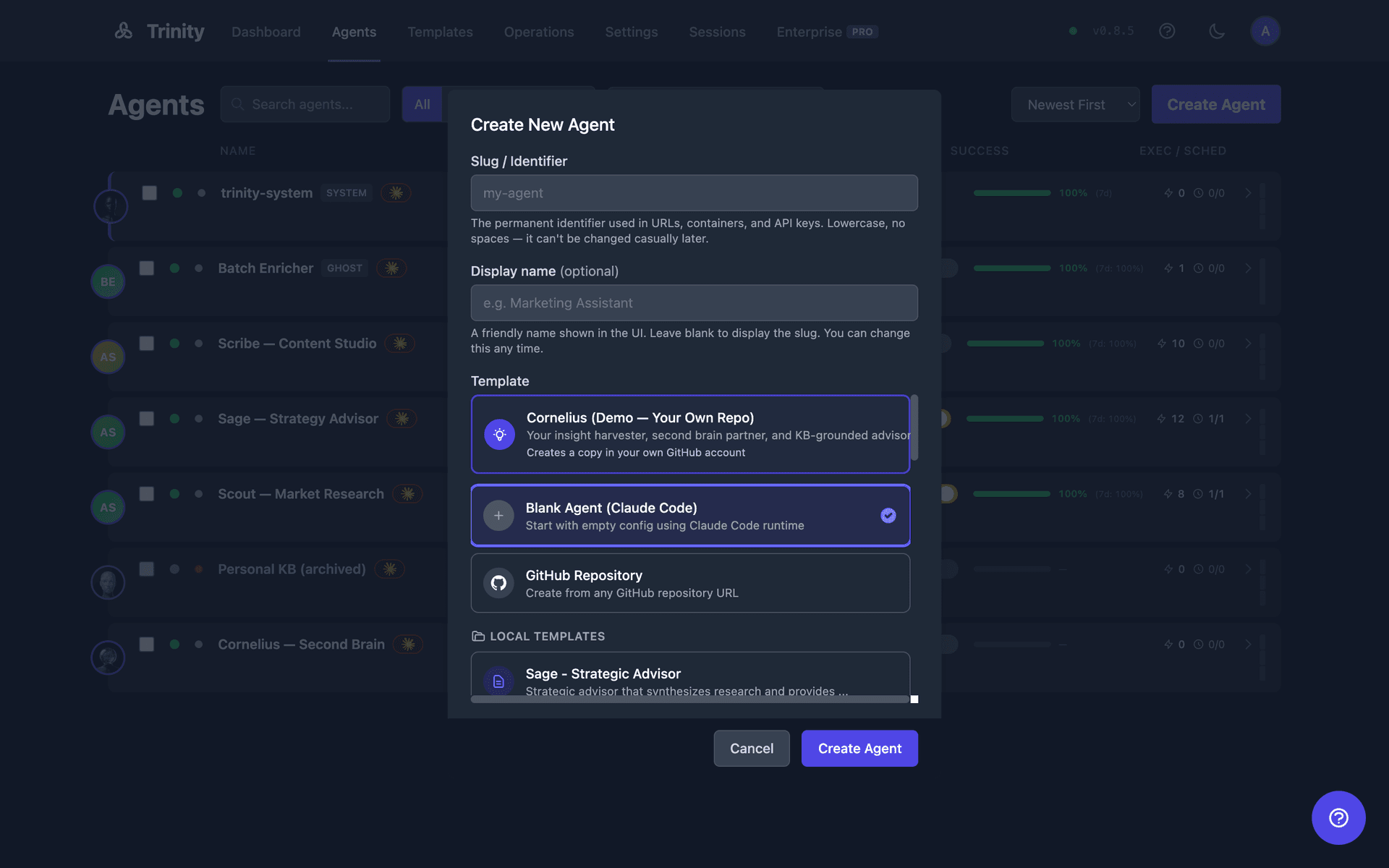
Click Create Agent in the Dashboard header, or Use Template on the Library page.
Select a template source. GitHub templates display as cards with metadata from template.yaml. For a free-form repository, pick the import intent (clone / fork / copy).
Enter an agent name (lowercase, hyphens only) — this is the immutable slug.
Optionally set a display label (max 120 characters) — the friendly name shown across the UI. Leave it blank to render under the slug.
Click Create, then review the inline compatibility result.
Creating via API and MCP
REST API:
POST /api/agents
Content-Type: application/json
Authorization: Bearer <token>
Idempotency-Key: <optional-unique-key>

{
  "name": "my-agent",
  "display_label": "My Agent",
  "template": "github:Org/repo@branch",
  "import_intent": "copy"
}
import_intent accepts fork, copy, or clone, and applies only to github: templates. Omit it for the legacy behaviour. Supplying an Idempotency-Key makes a retried create safe: the same key within 24 hours replays the original response instead of creating a second agent, and a duplicate still in flight returns 409.
A copy-intent response carries an import_snapshot block recording the source repo, branch, commit SHA, and file count.
MCP tool:
create_agent(name="my-agent", template="github:Org/repo@branch", import_intent="copy")The MCP tool accepts copy and clone. Fork stays UI/REST-only because it needs fork parameters.
Fork-to-Own Templates
Some templates are meant to be owned by the person deploying them, not run directly from the shared upstream repo. A template opts into this by declaring fork_to_own: required in its template.yaml. When you create an agent from such a template, Trinity copies the template into your own GitHub repository before building the container:
Trinity creates a destination repo under your account (private by default) using your GitHub PAT.
The template's default branch — with full history — is pushed into it. Your new agent's origin is this repo, so everything the agent commits stays in a repo you control.
Your PAT is saved as the agent's per-agent token, so restarts and recreations never fall back to a shared platform token.
A read-only upstream remote points back at the original template, so pulling in later template updates is a single git pull upstream <branch>.
Prerequisite:configure a GitHub PAT with repo-creation scope before creating the agent. If the destination repo name is already taken, Trinity reuses it when it's empty or already holds the template's exact tip; if it's bound to another live agent or contains unrelated data, creation fails with a conflict so nothing is overwritten.
What Agents Inherit
CLAUDE.md from the template as their system prompt.mcp.json.template, with placeholders resolved at runtime/home/developer/Limitations
base_image must match the configured allowlist. Requests for blocked images return HTTP 403.template.yaml may not appear immediately.plugins: are re-installed by the agent image at boot; agents built from an image that predates the feature keep whatever is on their volume but do not self-heal until the base image is rebuilt.Managing Agents
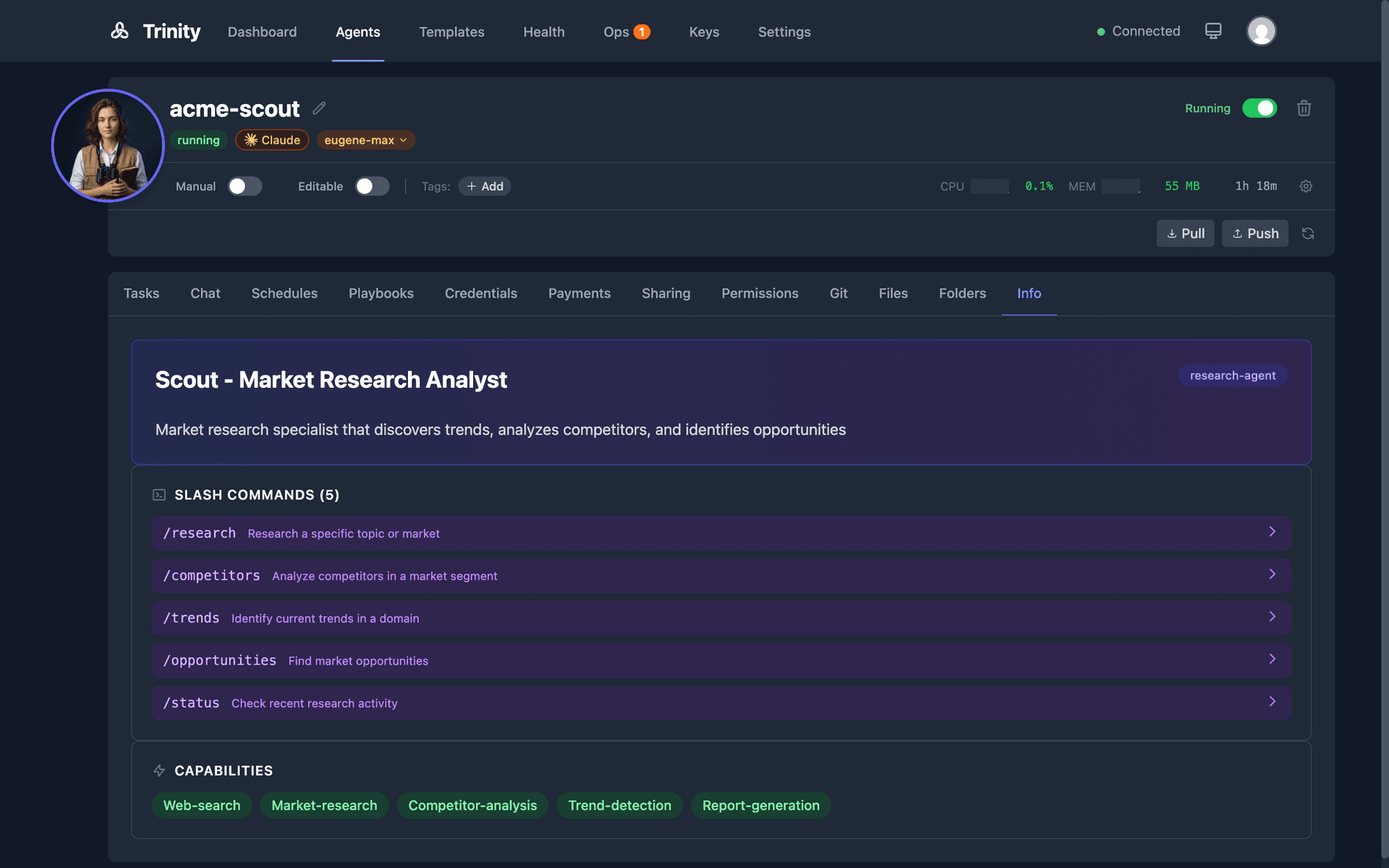
Control the lifecycle, health, and resources of your Trinity agents through the UI, API, or MCP tools.
Start and Stop
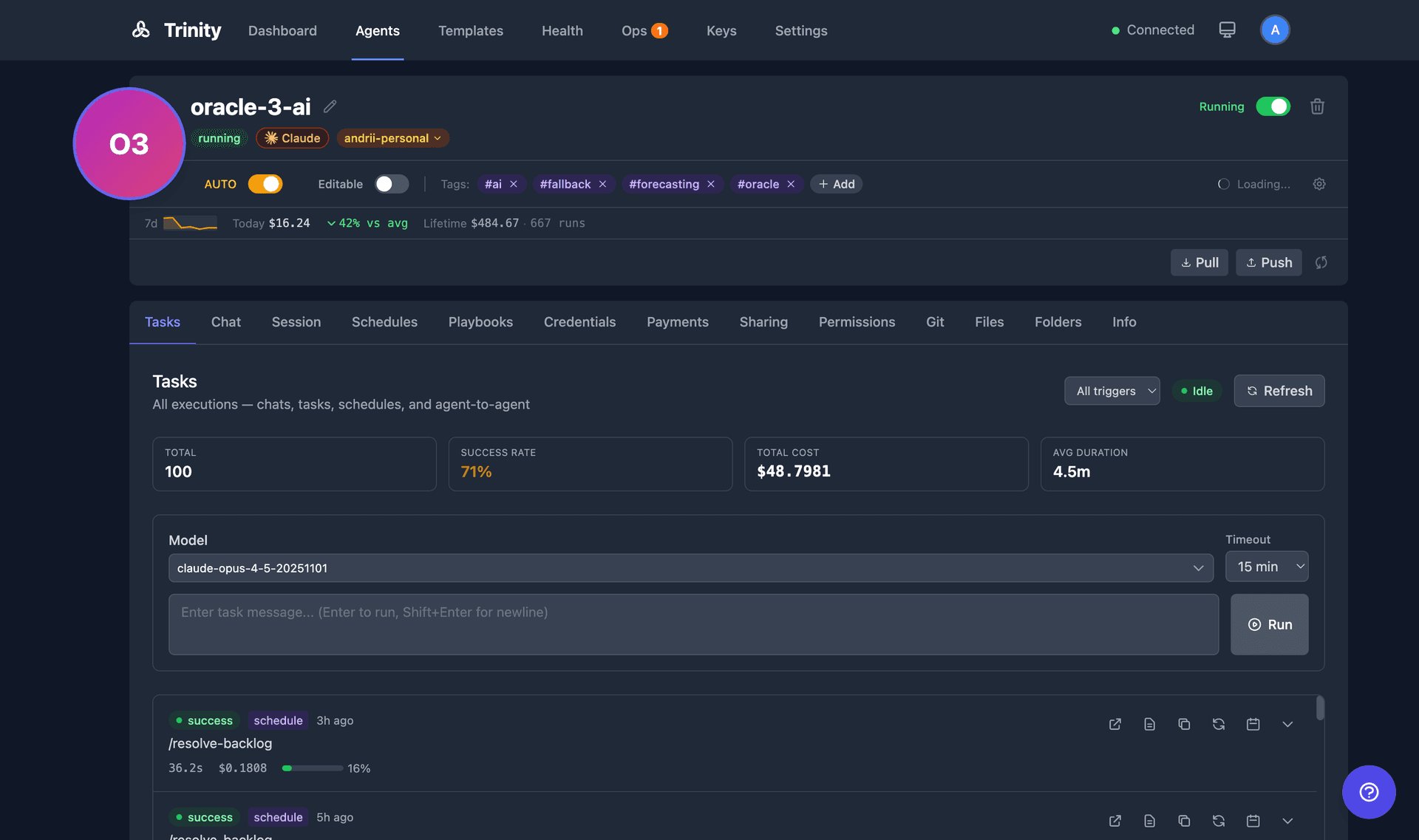
Toggle an agent between Running and Stopped using the switch on a Dashboard tile or list row, or in the Agent Detail header. A loading spinner displays during state transitions.
API: POST /api/agents/{name}/start and POST /api/agents/{name}/stop
MCP: start_agent(name) and stop_agent(name)
Rename
Click the pencil icon next to the agent name on the Agent Detail page to edit inline. Renaming is atomic: it updates the database, renames the Docker container, and broadcasts the change via WebSocket. System agents cannot be renamed. Only owners and admins have permission.
API: PUT /api/agents/{name}/rename with body {"new_name": "new-name"}
Delete
Use the Delete button on the Agent Detail page. A confirmation dialog is required. Deletion cleans up the container, network, sharing records, schedules, activities, and event subscriptions.
Health and Status
The agent header displays status (Running/Stopped), CPU and memory usage, network I/O, and uptime. Telemetry auto-refreshes every 10 seconds. Fleet-wide monitoring is available at GET /api/monitoring/fleet-health. Health levels: healthy, degraded, unhealthy, critical, unknown.
Resource Allocation
Configure per-agent memory and CPU limits from the agent header's resource modal. Execution timeout is configurable per agent (range: 60–7200 seconds, default: 3600 seconds / 60 minutes).
Listing
The Dashboard lists the fleet in three modes — Timeline, Grid, and List (press v to cycle them). List mode is the row view with success-rate bars; filter by name, status, or tags. The old /agentspage redirects to the Dashboard's List mode.
Agent Chat
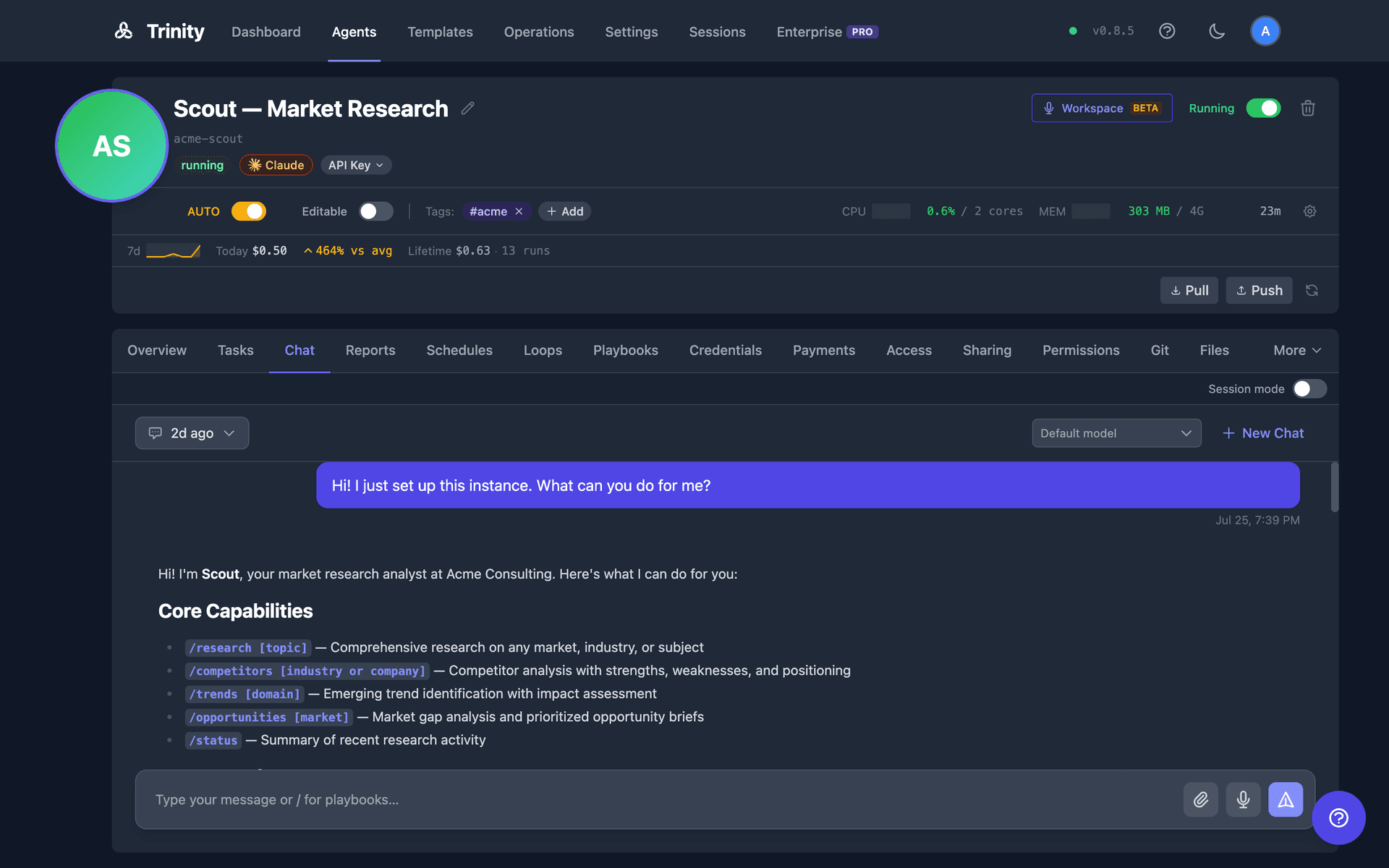
The Chat tab in Agent Detail provides a bubble UI for conversing with agents, with persistent history and real-time status updates.
Key Concepts
/ in the chat input to trigger a dropdown of available playbooks with ghost text showing command syntax and argument hints.--resume flag.How It Works
Open an agent's detail page and click the Chat tab.
Select an existing session or click New Chat.
Type a message and press Enter. The status label updates in real-time.
The response appears as a chat bubble.
Voice
The Chat tab is text only. Voice lives in the Workspace: the Talk button in the agent's header opens the Workspace on this agent with a call starting — see Voice Chat.
Session Management
Sessions persist across container restarts. The tab is stateless — each message starts fresh — with a Continue in Workspace → link beside the label.
Chat API Endpoints
| Endpoint | Method | Description |
|---|---|---|
| /api/agents/{name}/chat | POST | Send chat message |
| /api/agents/{name}/chat/sessions | GET | List all sessions |
| /api/agents/{name}/chat/sessions/{id} | GET | Get session with messages |
| /api/agents/{name}/chat/sessions/{id}/close | POST | Close session |
Agent Terminal
Direct shell access to an agent container is by SSH with a short-lived key you supply. The browser terminal tab that once lived on the agent page has been retired; the WebSocket it used remains available to API clients.
An admin switches on Enable SSH Access in Settings → Access. While it is off, every request for SSH credentials is refused.
Generate a keypair locally with ssh-keygen -t ed25519 — the server never generates or sees a private key.
Post the public half to POST /api/agents/{name}/ssh-access (or call get_agent_ssh_access over MCP). Trinity injects it for ttl_hours (default 4, max 24) and returns host, port, user, and an ssh command. Admin only; the agent must be running.
Each agent has its own SSH port from the 2222–2262 range. The key is removed when the TTL expires.
Full details in Agent Terminal.
Agent Files
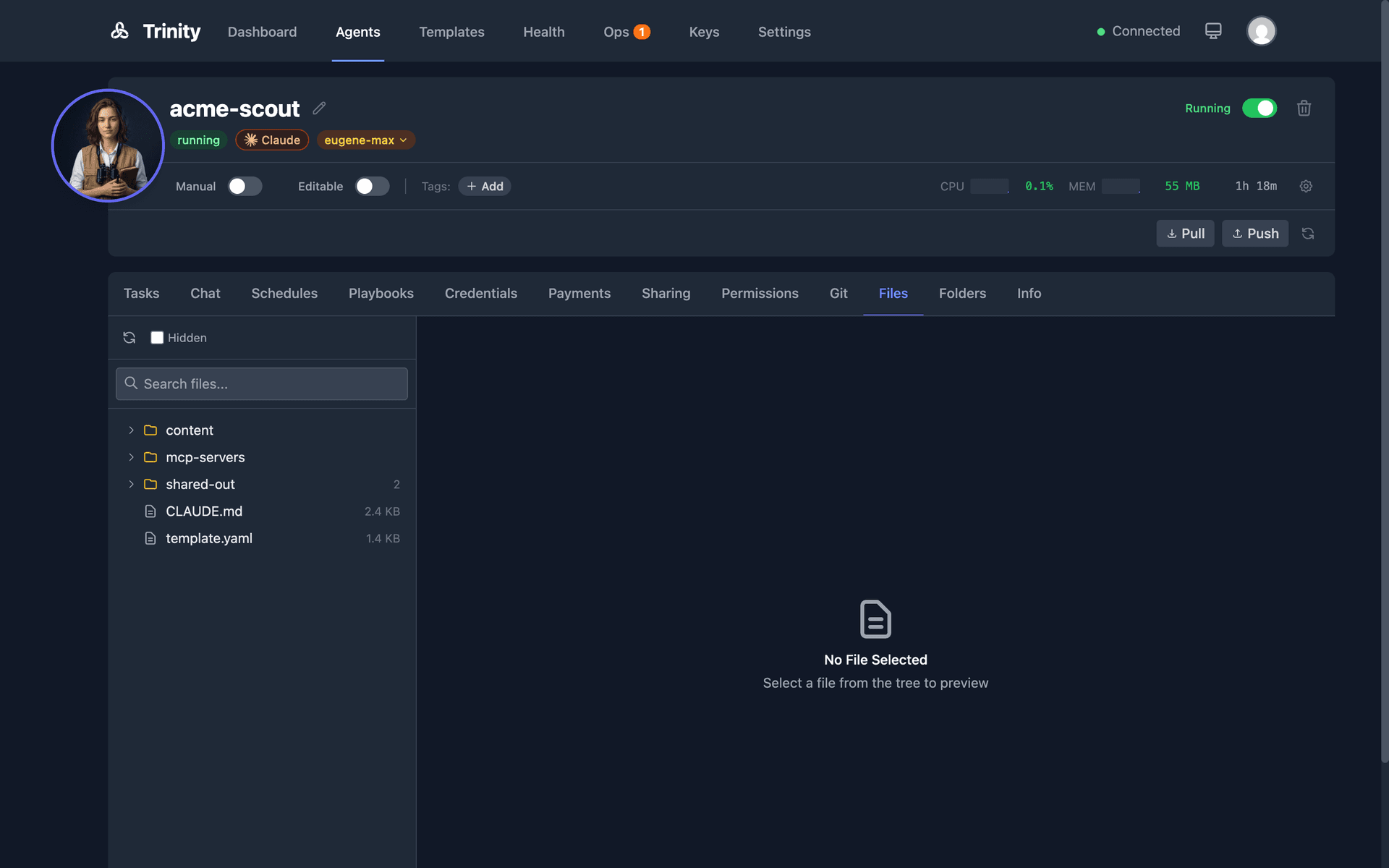
Two-panel file manager in the Agent Detail Files tab for browsing, previewing, and editing agent workspace files.
Open the agent detail page and click the Files tab.
The left panel displays a file tree with search; the right panel shows a preview of the selected file.
Supported previews: images, video, audio, PDF, and text files.
Click the edit button on any text file to modify and save inline. Delete files directly with protected path warnings for critical files.
Toggle Show hidden files to reveal dotfiles. The agent workspace root is /home/developer/.
Content Folder Convention
The content/ directory is gitignored by default. Use it for large generated assets such as images, audio, and video.
Shared Folders
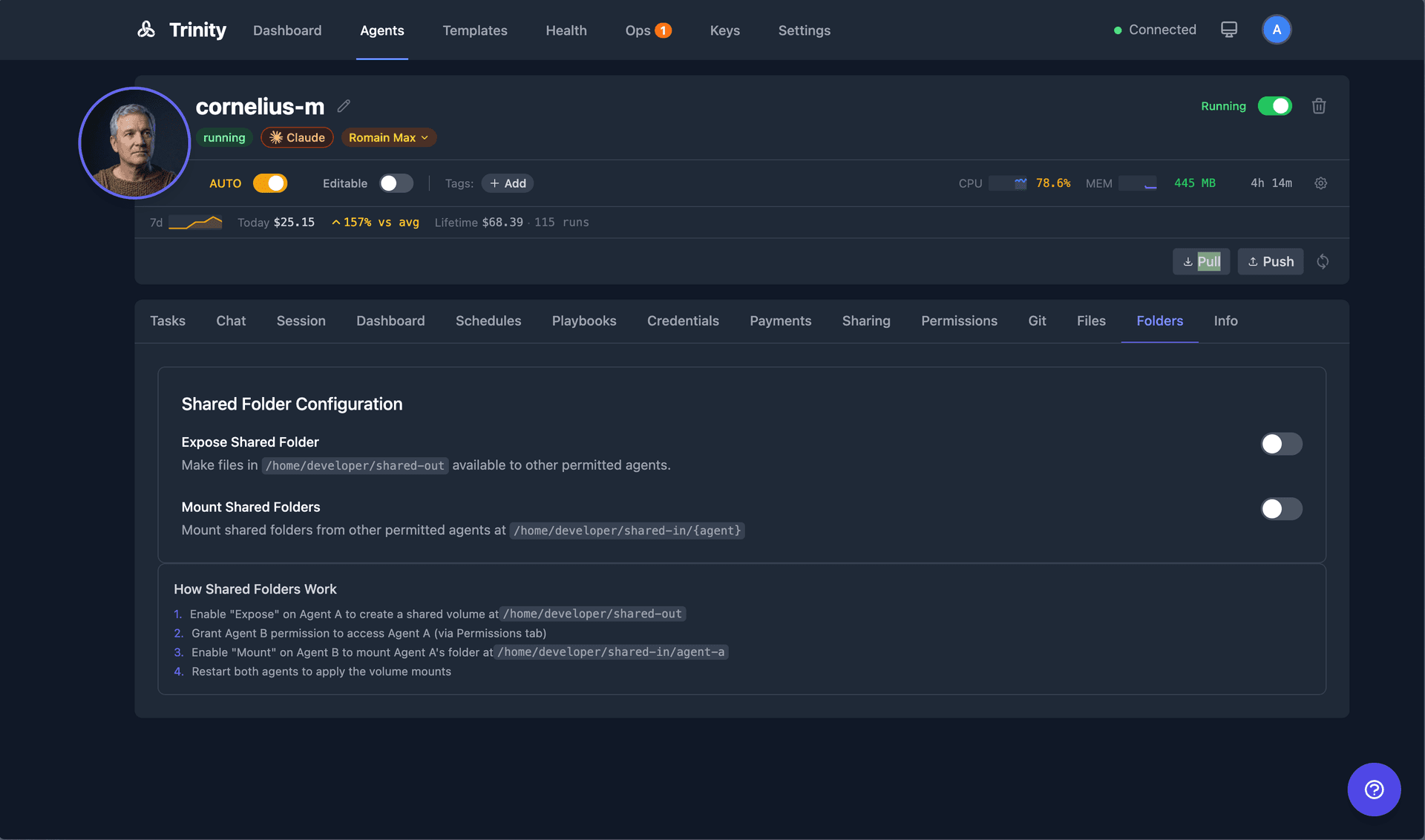
Agents can expose their workspace folder for other agents to mount as a collaboration mechanism. Configure in the agent's Sharing tab using the Expose and Consume toggles. Permission-gated: only permitted agents can mount a shared folder.
Logs and Telemetry
Container Logs
Open the agent detail page and click the Logs tab. A fixed-height scrollable container displays Docker container stdout/stderr. Logs auto-refresh with smart auto-scroll: new content scrolls to the bottom automatically, but scrolling stops if you scroll up manually.
Live Telemetry
The agent header bar displays live resource metrics: CPU usage, memory (MB), network I/O (bytes in/out), and uptime. Metrics auto-refresh every 10 seconds.
Centralized Logging via Vector
All container logs are captured by the Vector log aggregator and written to structured JSON files:
Platform logs: /data/logs/platform.json
Agent logs: /data/logs/agents.json
OpenTelemetry
Claude Code agents export OTel metrics including cost, token usage, and productivity. These metrics are available on the Dashboard.
Agent Configuration
Per-agent settings for autonomy, read-only mode, resources, capabilities, execution timeout, and runtime.
Autonomy Mode
Master toggle that enables or disables all scheduled operations for an agent. Toggle from the Dashboard (Grid tile or List row) or the Agent Detail header. When disabled, all schedules for that agent are paused.
Read-Only Mode
Prevents modification of source files (*.py, *.js, etc.) inside the agent container. Uses PreToolUse hooks to intercept Write, Edit, and NotebookEdit tool calls. Allowed patterns: output/*, content/* (generated files are permitted).
Execution Timeout
Configurable time limit for agent executions. Range: 60–7200 seconds (default: 3600 seconds / 60 minutes). Applies to all trigger methods: task, chat, schedule, MCP, and paid endpoints.
Per-Agent API Key
Toggle between the platform API key and your own Claude subscription. The agent container is recreated when this setting changes.
Model Selection
Choose the Claude model used for tasks and scheduled executions. Available models lead with the current flagships: Fable 5.1 and Sonnet 5, alongside the current Opus and Haiku generations. Custom model input is supported. The model_used field is recorded in the execution audit trail.