Scheduling
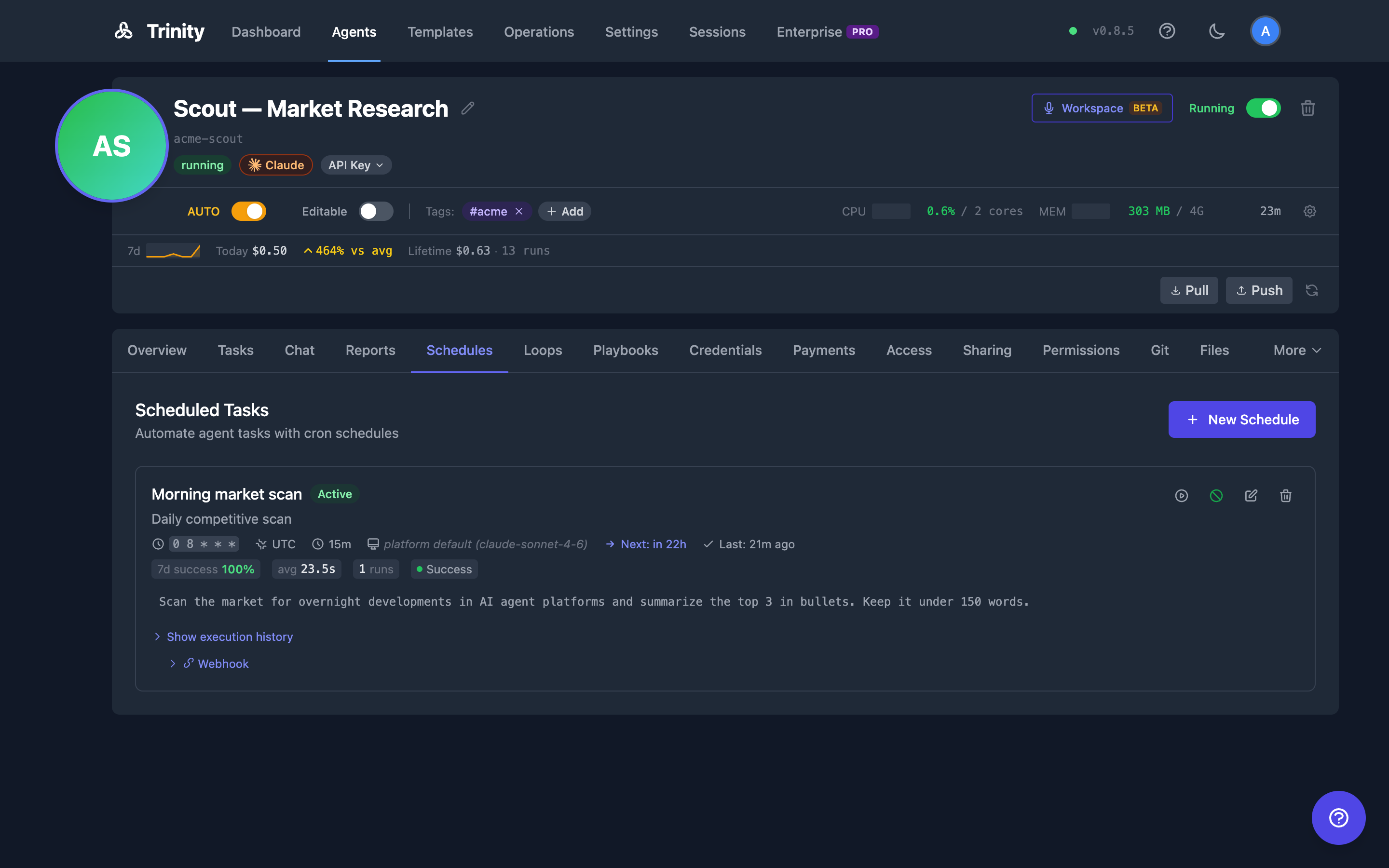
Cron-based automation for agents using APScheduler. Schedule recurring tasks with timezone support, execution history, and manual triggers.
For a single, agent-initiated, one-shot deferred follow-up rather than a recurring cadence, use Agent Self-Reminders— the durable, one-shot sibling of a cron schedule.
Trinity Platform Demo
May 2026
Concepts
misfire_grace_time=3600, coalesce=True, max_instances=1).Timezones
Schedules take any IANA zone name — including legacy aliases like US/Eastern, Asia/Calcutta, and Europe/Kiev. A timezone the platform cannot actually resolve is rejected when you create the schedule, with a message naming the problem, rather than being accepted and then silently never firing.
Schedules from a Template
A template can ship the recurring work its agent is designed to do in a schedules: block, and Trinity creates those schedules when the agent is created — through the UI, the API, and MCP alike. They appear here like any other schedule and are yours to edit, disable, or delete. See Creating Agents.
Keep the message to a bare playbook call. The recommended shape for any schedule message — declared or hand-created — is a single line that invokes one of the agent's skills by name, e.g. /daily-briefing, with no inline instructions. The logic then lives in the versioned playbook, so changing what a scheduled run does is an edit to the skill, never to the schedule. A skill that normally asks questions at its decision points needs a headless mode (the abilities convention is a --autonomous argument) before it goes on a cron; otherwise every run blocks on a prompt nobody sees and burns its whole timeout. See Abilities Marketplace.
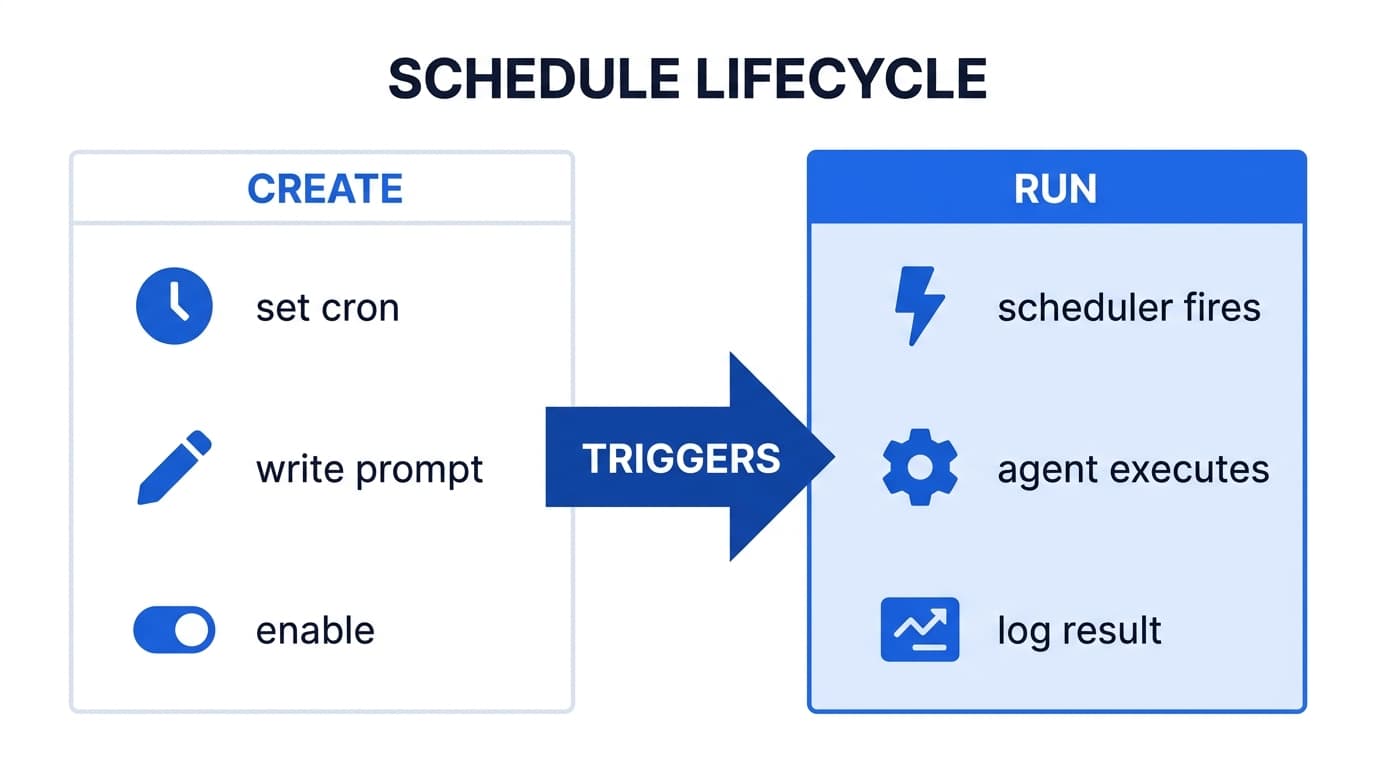
Creating Schedules
Open the agent detail page and go to the scheduling section.
Click Create Schedule.
Configure: name, cron expression (e.g., 0 9 * * 1-5 for weekdays at 9 AM), message/task, timezone, and description. The presets Daily 9 AM, Weekly Mon, Every 6h and Every 30m fill the cron field for the common cadences.
Optionally select a model override (Fable 5.1, Sonnet 5, Opus, Haiku, or custom). Fable 5.1 is the most capable model, for the longest and hardest tasks; Sonnet 5 is fast with a 1M-token context window.
Enable or disable individual schedules with the toggle.
View execution history with status, duration, and cost.
Click Run now to trigger a schedule immediately.
Use the autonomy toggle to pause or resume all of the agent's scheduled work at once. Individual schedules keep their own enabled/disabled state across the toggle — while autonomy is off, an enabled schedule shows a “Will not fire — autonomy off” warning instead of being switched off.
Cron expressions are checked as you type
The form validates the cron expression with the same grammar the scheduler uses, so a mistake is caught before you save rather than as a server error:
The server remains the authority: an expression the form accepts but the scheduler rejects still fails on save with the reason.
Execution Flow
Scheduler fires and sends a POST to /api/internal/execute-task with async_mode=True.
Backend spawns a background task and returns immediately.
Scheduler polls the database every 10 seconds until execution completes.
Execution record is updated with response, cost, and duration.
Schedule API
| Endpoint | Method | Description |
|---|---|---|
| /api/agents/{name}/schedules | GET | List schedules |
| /api/agents/{name}/schedules | POST | Create schedule |
| /api/agents/{name}/schedules/{id} | GET/PUT/DELETE | CRUD operations |
| /api/agents/{name}/schedules/{id}/enable | POST | Enable schedule (owner/admin) |
| /api/agents/{name}/schedules/{id}/disable | POST | Disable schedule (owner/admin) |
| /api/agents/{name}/schedules/{id}/trigger | POST | Manual trigger (owner/admin) |
| /api/agents/{name}/schedules/{id}/executions | GET | Execution history |
| /api/agents/{name}/schedules/{id}/analytics | GET | Per-schedule analytics (see below) |
| /api/agents/{name}/schedules/analytics-summary | GET | Per-schedule performance rollup for the whole agent (?window=7d|14d|30d) |
Enabling, disabling, and manually triggering a schedule are owner or admin actions — someone the agent is merely shared with can read its schedules and their history but cannot start or stop them. The same applies to the toggle_agent_schedule and trigger_agent_schedule MCP tools.
Delivering a Run's Output to Someone's Workspace
By default a scheduled run ends in the executions list — an operator's view. If the run exists for one particular person (a morning brief, a weekly summary), you can name them and have the output arrive as a message in their Workspace conversation with that agent instead of only in the log.
Set deliver_to_workspace_email on the schedule:
curl -X POST http://localhost:8000/api/agents/my-agent/schedules \
  -H "Authorization: Bearer $TOKEN" -H "Content-Type: application/json" \
  -d '{
        "name": "morning-brief",
        "cron_expression": "0 7 * * 1-5",
        "message": "Write my morning brief.",
        "timezone": "Europe/Kyiv",
        "deliver_to_workspace_email": "person@example.com"
      }'
The same field is available on create_agent_schedule and update_agent_schedule; passing null on an update stops delivering. Leave it unset and nothing changes. The schedule form in the UI has no field for it.
Where it lands. In that person's Mainchat with the agent — the one constant conversation per person per agent, which is where the agent reaches you when no particular chat is the right home for a message. It reads like any other message from the agent, and it can be rated like one.
Who you can name. Someone the agent is already shared with, or its owner. If the address cannot reach the agent — never shared, share revoked, blocked, or simply unknown — the run fails and says so on the execution row rather than running and quietly delivering nowhere. A malformed address is rejected when you save the schedule, not hours later on the first fire.
Who can set it.You can always name yourself. Naming anyone else takes the agent's owner or an admin — on create and on update alike — so that someone the agent is merely shared with cannot put a recurring message of their choosing into a colleague's chat. Clearing the address is never restricted.
When it shows up.The message is saved as soon as the run finishes, but the Workspace does not poll a conversation you already have open. So it appears the next time that person loads the Workspace or switches to the chat — fine at daily cadence, and worth knowing if you were expecting it to pop up mid-conversation. It also avoids cutting into a turn already in progress in that chat: it waits up to two minutes for that reply to finish, then writes regardless.
Delivered once. Each fire delivers at most one message, even if the platform has to retry internally.
Rateable. The delivered message is an ordinary reply from the agent, so the person can rate it like any other — see Workspace.
Per-Schedule Analytics
Each schedule has an analytics view summarizing how it has been performing over a selectable time window.
At-a-Glance Scorecards
Performance shows up in two places without opening any analytics card:
Both are fed by one endpoint: GET /api/agents/{name}/schedules/analytics-summary?window=7d|14d|30d— one row per schedule, including zero-run schedules.
Detailed Analytics Card
Open the agent's Schedules tab.
Click Show execution history on a schedule.
An Analytics card appears below the history with a window toggle (24h / 7d / 30d).
The card shows run counts, success rate, duration percentiles (p50 / p95 / p99), total cost, the top tools the schedule called, and a daily timeline of successes, failures, and cost.
Via the API
GET /api/agents/{name}/schedules/{id}/analytics?window_hours=168window_hours must be one of 24, 168 (7 days), or 720 (30 days). Default: 168.On high-traffic schedules the duration percentiles are computed over the newest 5,000 successful runs; the response reports sampled: true when this cap applies. Counts and the timeline always cover the full window.
Automatic Retry
Failed executions can automatically retry with configurable delay and attempt limits.
Configuration
| Field | Default | Range | Description |
|---|---|---|---|
| max_retries | 0 | 0-5 | Max retry attempts (0 = disabled) |
| retry_delay_seconds | 60 | 30-600 | Delay between retries |
Retries are off by default: a schedule created in the UI (Max Retries → Disabled (default)) or over the REST API has max_retries: 0. The create_agent_schedule MCP tool is the exception and defaults to 1 retry; pass max_retries: 0 there to turn it off.
Retry Behavior
Execution fails (error or timeout)
If max_retries > 0 and attempts remain, scheduler waits retry_delay_seconds
Rate-limit errors (429) use 2x delay, capped at 300 seconds
Retry creates a new execution record linked to the original
Process repeats until success or max retries exhausted
Execution Grouping
Retries are linked to their original execution:
| Field | Description |
|---|---|
| attempt_number | Which attempt (1 = first try, 2 = first retry) |
| retry_of_execution_id | Links to original execution |
The execution list groups retries under their parent execution for clarity.
Execution Statuses
| Status | Meaning |
|---|---|
| pending_retry | Failed, retry scheduled but not yet fired |
| running | Retry in progress |
| success / failed | Final outcome |
MCP Tools
| Tool | Description |
|---|---|
| list_agent_schedules(name) | List schedules |
| create_agent_schedule(name, ...) | Create schedule |
| get_agent_schedule(name, id) | Get schedule details |
| update_agent_schedule(name, id, ...) | Update schedule |
| delete_agent_schedule(name, id) | Delete schedule |
| toggle_agent_schedule(name, id) | Enable or disable |
| trigger_agent_schedule(name, id) | Manual trigger |
| get_schedule_executions(name, id) | Execution history |
Beyond the name, cron expression, message, timezone and description, create_agent_schedule and update_agent_schedule accept the same optional settings as the API: timeout_seconds, allowed_tools, model, max_retries, retry_delay_seconds, validation_enabled, validation_prompt, validation_timeout_seconds (see Post-Run Validation), and deliver_to_workspace_email. On an update, a setting you leave out keeps its current value.
Post-Run Validation
A run can report success without having done the work. Post-run validation checks for that. When it is on, each run that finishes successfully is followed by one more execution on the same agent, in a clean context, that audits the run. By default it reads the original task and the response, checks the workspace for the claimed results, and returns a pass, fail, or partial verdict.
It is off by default, and the schedule form in the UI has no field for it. Set it over the API or with create_agent_schedule / update_agent_schedule:
| Field | Default | Range | Description |
|---|---|---|---|
| validation_enabled | false | — | Run the validation pass after each successful run |
| validation_prompt | built-in auditor prompt | — | Your own auditor instructions |
| validation_timeout_seconds | 120 | 30-600 | Timeout for the validation execution. The API clamps a value outside the range; the MCP tools refuse it |
What to expect:
validation.business_status becomes validated on a pass, or failed_validation on a fail or partial. A successful run on a schedule with validation off is marked skipped.Pre-Check Hook
An optional executable shipped by an agent template that gates each cron tick before Claude is invoked. When present, it lets the agent decide at runtime whether the scheduled work is actually needed — so empty polls (no new PRs, no new emails, no alerts) consume zero tokens.
How It Works
Template ships ~/.trinity/pre-check as an executable file with a shebang
Before each scheduled cron tick, Trinity runs the file inside the agent container
Scheduler acts on the output (see table below)
| Pre-check result | Scheduler action |
|---|---|
No ~/.trinity/pre-check file | Fire as usual (backward-compatible) |
| Exit 0, non-empty stdout | Fire — stdout becomes the chat message (overrides schedule's configured message) |
| Exit 0, empty stdout | Skip — record a skipped execution row, no Claude invocation, zero cost |
| Exit non-zero | Fail-open — log the error and fire with the original message |
| Timeout (>60s) or error | Fail-open — fire with the original message |
Key Behaviors
skipped, zero cost, and a reason string. They do not count against retry limitsFor Template Authors
Place the hook at ~/.trinity/pre-check (no extension), make it executable (chmod +x), and include a shebang. The hook receives no arguments. Print a work description to stdout if there is work, or print nothing if there is nothing to do.
#!/usr/bin/env python3
import sys
# ... check for new items ...
if new_items:
    print(f"Review {len(new_items)} new PRs: {', '.join(new_items)}")
# else: exit 0 with empty stdout → Trinity records a skip
Per-Schedule Timeout
Each schedule has its own timeout_seconds. It cannot exceed the agent's execution_timeout_seconds cap:
timeout_seconds > agent.execution_timeout_seconds returns 400 error=schedule_timeout_exceeds_agent_cap.400 error=agent_timeout_below_active_schedules.Raise the agent cap first, then raise the schedule timeout.
Limitations
developer user inside the container).